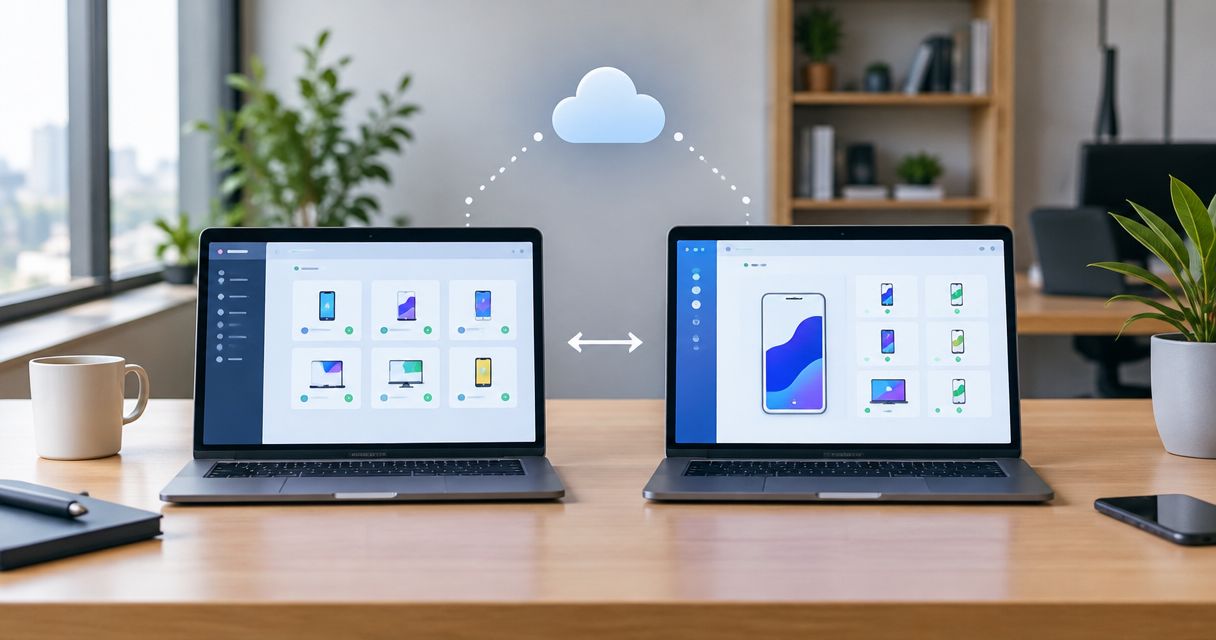
Choose Maestro Deck if you want a free desktop runner and inspector for Maestro YAML flows before adding optional cloud based testing; choose BrowserStack if physical-device coverage is the requirement driving your test infrastructure. The central difference is local flow development versus access to a hosted browser and device testing platform.
- Maestro Deck is best for developers writing and debugging Maestro YAML end-to-end tests locally.
- BrowserStack is best for teams whose cloud based testing requires physical-device coverage.
- Maestro Deck's free local runner does not require a cloud account; paid cloud execution is optional.
- Choose your authoring workflow first, then select cloud execution around device coverage and CI requirements.
Why this matters
Cloud based testing answers an execution question: where will your tests run? It does not automatically answer how you will write them, inspect a failure, or reproduce that failure during development. Buying execution capacity before settling those questions leaves the workflow unfinished.
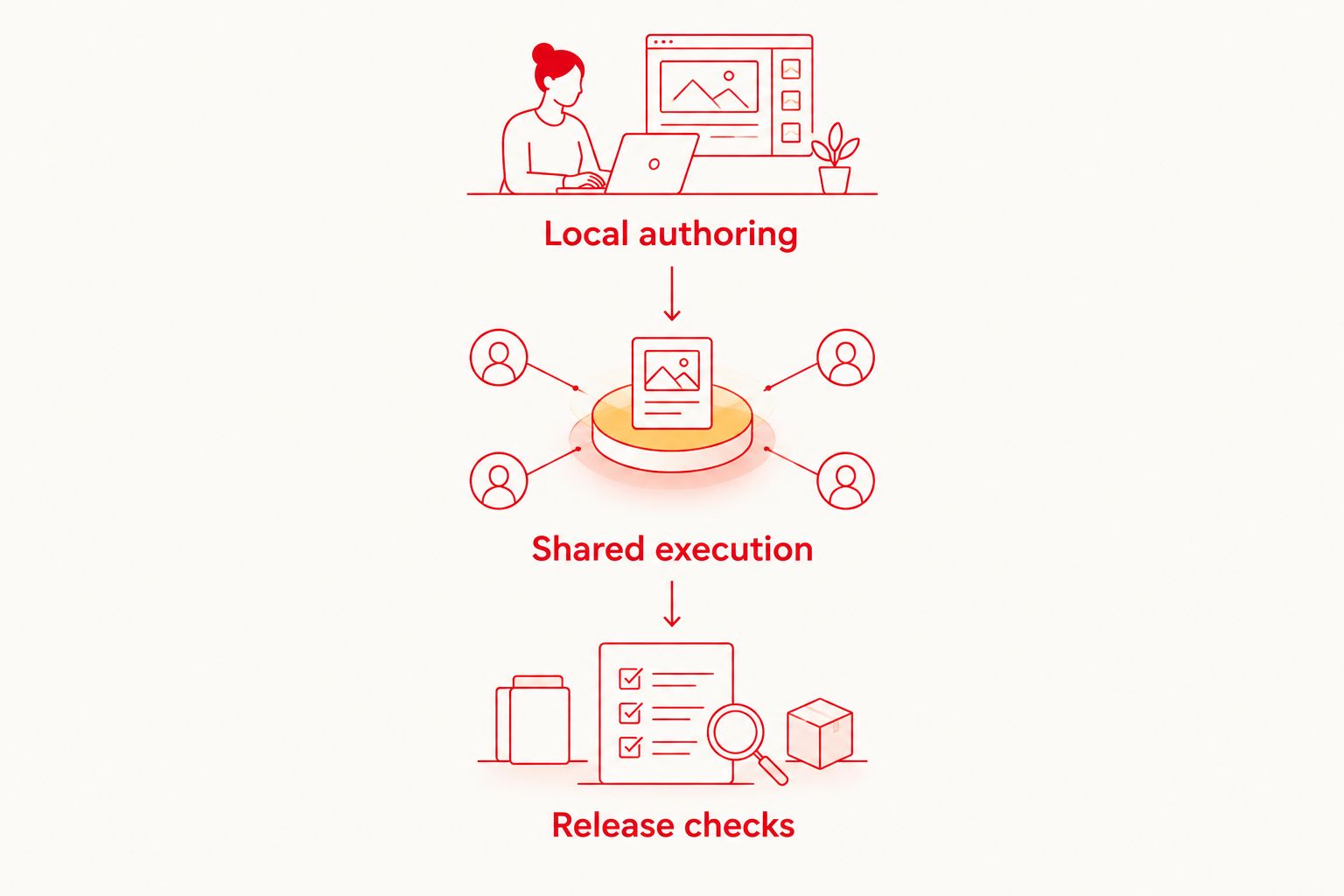
For your 2026 evaluation, separate 3 workflow stages: local authoring, shared execution, and release checks. A developer needs a short feedback loop while changing a flow. A release pipeline needs repeatable execution against the environments that matter to the app.
Maestro Deck is best for developers who want to write and inspect Maestro YAML end-to-end tests locally. BrowserStack serves a different buying priority when the team needs a hosted device and browser environment, especially physical-device access.
These are not interchangeable requirements. Choose the environment that answers your release question, rather than treating every remote test run as equivalent.
At a glance
| Dimension | Maestro Deck | BrowserStack |
|---|---|---|
| Best for | Developers building a local Maestro YAML workflow | Teams prioritizing hosted browser and physical-device coverage |
| Local workflow | Free desktop runner and inspector | Hosted testing platform; evaluate local development separately |
| Flow format | Maestro YAML end-to-end flows | Established automation offerings include Appium and Selenium workflows |
| Device coverage | Local execution plus optional cloud testing; distinguish simulators, emulators, and hardware | Real-device cloud offerings for mobile testing |
| Web testing | Runs Maestro flows for web apps | Hosted browser testing through its browser testing offerings |
| CI execution | Optional cloud execution when you need shared or CI runs | Hosted automation services for pipeline execution |
| Pricing model | Free local runner with optional paid cloud execution | Subscription-based cloud services; assess the relevant product and plan |
| Standout feature | Desktop inspection alongside Maestro YAML flow execution | Hosted access to browsers and physical mobile devices |
The table describes workflow fit, not a performance ranking. For a 2026 decision, examine the relevant BrowserStack product rather than treating its entire platform as a single runner. App Automate and browser automation address different test environments.
Maestro Deck wins for a local-first development loop
Start here if your immediate problem is writing a flow that reliably exercises your app. The desktop runner and inspector put local execution and inspection in the same development workflow. Cloud execution remains a separate decision.
That distinction matters when you are still changing selectors, checking app state, or diagnosing a failed interaction. Your first task is to understand the failure. Moving an unclear failure to a remote environment does not make its cause clearer.
Best for: mobile and web developers adding Maestro YAML tests to everyday development. The free local runner does not require a cloud account. You can build the authoring habit before deciding whether shared infrastructure belongs in your release process.
The trade-off is scope. A successful desktop run establishes behavior in that execution environment; it does not establish coverage across every device your users carry. Keep local feedback and device coverage as separate acceptance criteria.
BrowserStack wins a different decision when hosted environments are the immediate need. Its device cloud is not a substitute for deciding how developers will author and debug the tests they send there.
Maestro Deck wins when Maestro YAML is your chosen format
Choose the runner around the tests you intend to maintain. Maestro Deck is built for writing and executing Maestro YAML end-to-end flows across iOS, Android, and web apps. That makes it a direct fit when your team has chosen that format.
The distinction between Maestro Deck and the Maestro framework matters. Maestro Deck provides the desktop runner and inspector described here. The Maestro framework is a separate project; shared terminology does not establish affiliation.
BrowserStack's established automation offerings include Appium for mobile automation and Selenium for browser automation. If your release suite already uses those frameworks, assess the corresponding hosted service before considering a change in test format.
Best for: developers standardizing new end-to-end flows on Maestro YAML. The limitation is migration work: choosing a new authoring format still requires reviewing existing test intent, selectors, setup, and assertions. A runner choice does not perform that review for you.
For a 2026 comparison, do not assume that every framework runs on every service. Confirm the execution path for your exact suite in the provider's current official documentation. Framework compatibility is a requirement, not a benefit to infer from the phrase cloud based testing.
BrowserStack wins when physical devices are the deciding requirement
BrowserStack's real-device cloud is a concrete reason to choose it. If your release acceptance criteria name physical mobile hardware, evaluate its mobile testing offerings against those criteria.
A simulator, an emulator, and a physical device are different execution environments. A remote simulator is still a simulator. Hosting it in a cloud does not turn it into physical hardware.
Best for: QA teams whose release checks require physical-device execution. Write down the device environment you need before selecting the service. Confirm the relevant device, operating system, test framework, and application upload workflow together.
Maestro Deck offers optional cloud execution, but that alone does not establish physical-device coverage. Evaluate the specific execution environment rather than reading the word device as a hardware guarantee.
BrowserStack's trade-off is that access to devices does not resolve flow design. Your team still owns test data, app state, assertions, and failure investigation. A device matrix can expand coverage; it cannot repair an unclear test.
For 2026 release planning, classify a required environment explicitly as a simulator, emulator, physical device, or browser. That small naming discipline prevents a large procurement mistake.
Both support web testing; choose around the suite
Both options belong in a web testing discussion, but they enter from different directions. Maestro Deck runs Maestro flows for web apps. BrowserStack provides hosted browser testing offerings, including browser automation.
Best for Maestro Deck: developers extending a Maestro YAML workflow to web apps. Best for BrowserStack: teams selecting hosted browser environments for an established browser automation suite. Neither label establishes that the tools have identical browser coverage or identical execution behavior.
Use the application's actual requirements to decide. A web journey that matters to your release is a better comparison subject than a generic feature checklist.
Start with 1 critical journey, such as signing in and reaching the application's main screen. Define its initial state, expected result, and required browser environment. Then assess how each workflow handles authoring, execution, and failure investigation.
This is an honest tie at the category level: both address web testing. The winner for your project follows from the suite format and environment requirements, not from a blanket claim that either option is better for every web app.
Both belong in CI; local debugging still comes first
CI execution is a shared use case, not an automatic reason to skip the desktop runner. Maestro Deck's optional cloud execution is intended for shared runs and CI. BrowserStack's hosted automation services also support pipeline execution.
Best for: teams moving an understood test suite into release checks. First establish what the test proves. Then decide where it executes and how its result affects the release.
Use these stages to structure the handoff:
- Local authoring: write the flow, inspect app state, and reproduce failures during development.
- Shared execution: select the hosted environment and make test setup repeatable for the team.
- Release checks: connect results to the pipeline and define how a failed journey is investigated.
The stages describe responsibilities, not a claim that either platform automatically implements your release policy. Assign ownership for test accounts, application builds, failure triage, and environment selection before making a run a release gate.
For a 2026 pipeline evaluation, compare the complete failure path. Ask how a developer receives the failed result, identifies the relevant environment, and reproduces the issue. Do not substitute an unsupported speed claim for that workflow review.
Pricing: separate free local work from paid execution
Maestro Deck's model starts with a free local desktop runner. Paid cloud execution is optional when developers need shared execution or CI runs. Local use does not require purchasing cloud execution or creating a cloud account.
BrowserStack uses subscription-based cloud services. Evaluate the product and plan that match your testing environment rather than comparing a desktop runner with an undifferentiated platform subscription.
Best for local-first adoption: Maestro Deck. Best for buying hosted device coverage: BrowserStack. These are different purchase decisions. Keeping them separate prevents a team from treating cloud spend as a prerequisite for writing its first useful flow.
For either cloud option, review the current commercial terms against your expected execution pattern. Check how the relevant plan handles simultaneous runs, execution allowances, and the environments your suite requires. These are evaluation questions, not promises about either service's limits.
Use 2 decision documents: a test-authoring checklist and an execution checklist. The first covers flow format, inspection, and reproducibility. The second covers hosted environments, CI integration, and the applicable commercial terms.
Also distinguish source availability from open-source licensing. Maestro Deck is source-available. That label alone does not establish the modification, redistribution, or other permissions associated with an open-source license; read the license before building a redistribution or customization plan around it.
Start with local flow development
Use the free desktop runner first. Consider optional cloud execution when shared runs or CI become necessary.
Final verdict: choose the workflow that solves your constraint
Choose Maestro Deck if you are adding developer-owned E2E tests
Winner: Maestro Deck for the mobile developer starting with local Maestro YAML flows. You want to write, run, and inspect tests during development without making cloud adoption a prerequisite.
Keep the first milestone narrow: a meaningful journey with clear setup and an observable result. Add optional cloud execution when shared runs or CI become a requirement. Assess device coverage separately before using those runs as release evidence.
Choose BrowserStack if your QA team needs hosted device coverage
Winner: BrowserStack for the QA lead whose acceptance criteria require physical mobile devices or a hosted browser testing environment. Select the relevant service around the existing automation suite and required environments.
Keep the authoring workflow explicit. Hosted infrastructure answers where execution happens; your team still needs a practical way to maintain tests and investigate failures.
| Decision | Winner |
|---|---|
| Local-first developer workflow | Maestro Deck |
| Maestro YAML authoring and desktop inspection | Maestro Deck |
| Physical-device cloud requirement | BrowserStack |
| Hosted execution for an established Appium or Selenium suite | BrowserStack |
| Web testing as a general requirement | Both; suite and environment decide |
| CI execution as a general requirement | Both; validate the execution path |
| Free local entry point | Maestro Deck |
FAQ
Is Maestro Deck better than BrowserStack for cloud based testing?
Maestro Deck is the better fit for local Maestro YAML development; BrowserStack is the better fit when physical-device cloud coverage drives the decision. Choose the authoring workflow and execution environment separately.
Can I use Maestro Deck without a cloud account?
Yes. Maestro Deck's free local desktop runner does not require a cloud account, and paid cloud execution is optional.
Are Maestro Deck and the Maestro framework the same thing?
No. Maestro Deck provides a desktop runner and inspector for Maestro YAML flows; the Maestro framework is a separate project. Do not infer affiliation from the shared name.
Does cloud testing mean my tests run on physical devices?
No. Cloud testing can use simulators, emulators, browsers, or physical devices. Confirm the execution environment for the specific service you select.
Which option should I choose for existing Appium tests?
BrowserStack's App Automate offering is a relevant option for an existing Appium suite. Check its current official documentation against your required devices and pipeline before committing.
Is Maestro Deck open source?
Maestro Deck is source-available, not described here as open source. Read its license for the actual permissions; access to source code alone does not establish open-source licensing.
What should I compare before adding cloud tests to CI?
Compare framework compatibility, execution environments, repeatable test setup, and failure investigation. Establish a reliable local journey before deciding how its hosted result will affect releases.
One last thing
Before selecting a cloud provider, write a failure-reproduction note for your critical journey. Record its starting state, required environment, expected result, and the person responsible for investigating a failure.
If the note only says rerun the pipeline, the debugging workflow is unfinished. Fix that gap during local development. Cloud execution should extend a test you understand, not become the only place you can observe it.