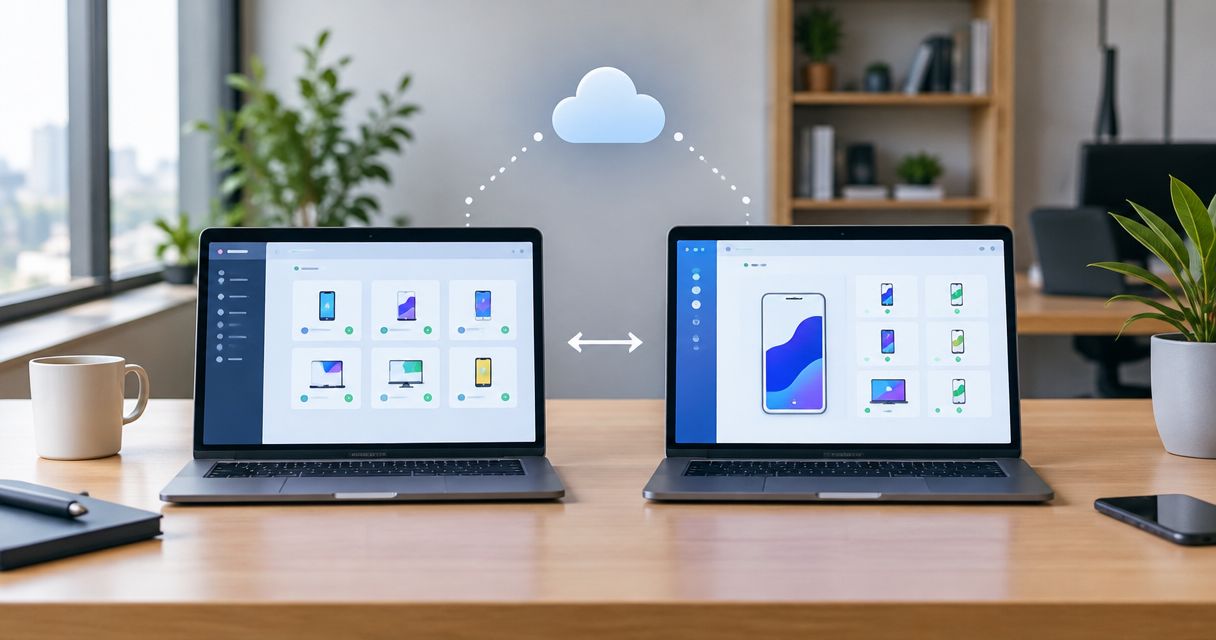
Choose Maestro Deck if you need a free local desktop runner and inspector for writing and debugging Maestro YAML flows; choose Maestro Cloud if you need hosted execution for your release workflow. For maestro testing in 2026, the useful distinction is where you develop tests versus where you execute them—not which name replaces the other.
- Maestro Deck is best for local maestro testing, YAML flow editing, and inspection without making cloud execution mandatory.
- Maestro Cloud is best for hosted test execution when your release workflow needs a remote execution environment.
- Maestro Deck and the Maestro framework are distinct; support for Maestro YAML does not establish affiliation.
- Choose the execution environment separately from the flow editor, and distinguish simulators and emulators from physical devices.
Why this matters
An editor solves a different problem from a hosted runner. When a test fails while you are building a screen, you need to inspect the app, adjust the flow, and run it again. When you are preparing a release, you need an execution process that fits your build pipeline.
Maestro Deck is best for developers who want a free local desktop workflow for Maestro YAML end-to-end testing. Maestro Cloud addresses the hosted-execution side of that decision. Buying remote execution does not remove the need to write useful assertions or reproduce failures.
Keep three names separate: Maestro Deck, the Maestro framework, and Maestro Cloud. Maestro Deck provides a desktop runner and inspector for Maestro YAML flows. Do not infer ownership, affiliation, licensing, or feature equivalence from the shared word Maestro.
At a glance
| Dimension | Maestro Deck | Maestro Cloud |
|---|---|---|
| Best for | Developing and debugging flows locally | Executing flows in a hosted environment |
| Flow authoring | Desktop runner and inspector for writing and executing YAML flows | Evaluate primarily for hosted execution, not as a replacement for local inspection |
| Execution location | Local desktop workflow | Hosted execution workflow |
| CI role | Local flow development before pipeline integration | Hosted execution for release automation |
| Flow format | Maestro YAML flows | Maestro flows used for hosted runs |
| Device choice | Match your local target to the behavior under test | Match the hosted environment to the behavior under test |
| Licensing boundary | Source-available desktop software | Hosted service terms are a separate decision |
| Pricing model | Free local runner; cloud execution is optional | Paid hosted execution; check current service terms |
The table separates product roles, not test quality. A flow with weak assertions remains weak regardless of its execution location. Your 2026 evaluation should start with a representative app journey and the environment required to exercise it.
Maestro Deck wins for local flow authoring
Choose Maestro Deck for the edit, inspect, run cycle on your development machine. Its stated purpose is writing and executing Maestro YAML end-to-end flows for iOS, Android, and web apps. The desktop runner and inspector directly match that task.
Start with a journey you already understand. Open the app, reach the target screen, perform an action, and check the resulting state. Inspect the relevant interface elements before adding interactions to the flow. Keep the expected outcome explicit.
The benefit is proximity to the app you are developing. You can work on the test alongside the application change rather than treating test authoring as a separate release-stage activity. Local execution remains useful even when you later add hosted runs.
The limitation is scope: a successful local run is evidence about that run and its environment. It is not proof that every release target behaves identically. Use the local runner to develop the test, then decide which additional execution environments the release requires.
Maestro Cloud wins when hosted execution is the requirement
Choose Maestro Cloud when the requirement is to execute Maestro flows in a hosted environment. That is a different purchase decision from choosing a desktop inspector. Assess the service against the execution job you need it to perform.
Write down what the job consumes and what a failure must tell you. Include the application build, flow files, test configuration, and required execution target. Define the evidence a developer needs to distinguish an application defect from a test setup problem.
Hosted execution moves the run away from your development machine. That makes build selection and environment configuration explicit parts of the workflow. A locally correct flow still needs the correct application artifact and starting state in its hosted run.
The trade-off is an additional execution boundary. You must account for how the app reaches the runner and how results reach the team. Do not select a hosted service merely because the local workflow feels unfinished; first identify the remote-execution requirement.
Maestro Cloud wins for the hosted part of CI
A CI pipeline needs a repeatable execution contract. Maestro Cloud is the relevant choice when that contract calls for hosted Maestro execution. The desktop workflow remains useful upstream, where a developer writes and repairs the flow.
For a 2026 release pipeline, define the failure policy before adding another test job. Decide which journeys block a release, who investigates failures, and what evidence the job must retain. A pipeline that produces unexplained failures creates work without providing a clear release decision.
Use 3 checks before promoting a flow into the release gate:
- Build identity: confirm that the run tests the intended application artifact.
- Starting state: define the account, permissions, and data needed for the journey.
- Failure evidence: identify what a developer must inspect when the assertion fails.
These are acceptance criteria, not claims about a service's performance. Evaluate the hosted runner against them. Keep local inspection available for repairing the flow rather than forcing every edit through the release pipeline.
Both use Maestro flows; portability needs a real run
Maestro YAML is the shared test format in this comparison. Neither execution location makes an untested flow portable by itself. The flow describes actions and assertions, but the application build and execution environment determine what those actions encounter.
Check application identifiers, test data, permissions, and platform-specific screens when changing execution location. A flow can describe the correct journey and still begin from the wrong state. Do not diagnose that as a runner problem until you inspect the setup.
Evaluate portability across 2 execution contexts: local development and hosted execution. Keep the intended behavior constant while recording any necessary configuration differences. That gives you a useful comparison instead of two unrelated test runs.
Do not treat YAML compatibility as a guarantee that every feature, platform, or environment behaves identically. Read the current documentation for the commands and targets you use. Keep configuration differences explicit rather than burying them inside assumptions about the product names.
Neither product name proves physical-device coverage
Choose the device environment from the behavior you need to test, not from the word cloud. A simulator, an emulator, a browser, and a physical device are different execution targets. Hosted execution describes location; it does not establish physical-device availability.
For ordinary interface journeys, identify the supported target and test the relevant application behavior there. For hardware-dependent behavior, define the hardware requirement before selecting the runner. Do not substitute a successful simulated interaction for evidence about a physical component.
Apply the same discipline locally. Running a desktop tool does not specify which device environment the test uses. Record that environment alongside the result so another developer understands exactly what passed.
In your 2026 evaluation, separate target support from execution location. Ask whether the exact operating system, application type, and behavior are supported. Neither side wins this dimension without matching your actual test requirement.
Source-available describes Maestro Deck's licensing boundary
Maestro Deck is source-available. Source-available and open source are not interchangeable licensing terms. Access to source code alone does not establish unrestricted rights to modify, redistribute, or use software under every circumstance.
Review the actual license when your team needs redistribution, modification, or a particular deployment arrangement. Keep those questions separate from whether the desktop runner is free to use. Free local execution answers a cost question, not every licensing question.
Maestro Cloud requires a separate service assessment. Read the applicable terms for your intended hosted workflow rather than carrying assumptions over from the desktop runner or the Maestro framework.
There is no useful licensing winner without a licensing requirement. A developer evaluating local test authoring and a company evaluating hosted execution are answering different questions. Document the rights and obligations relevant to your own deployment.
Pricing: free local work versus paid hosted execution
Keep free local execution separate from optional paid cloud execution. Maestro Deck's local desktop runner is free. Choosing it for flow development does not mean you must purchase hosted runs to make that local workflow useful.
For Maestro Cloud, review the current hosted-service pricing model and terms against your execution requirements. Compare the billing unit, included execution capacity, and any commitment before choosing a plan. Do not assume those details from another Maestro-named offering.
The trade-off is straightforward: local execution uses your development environment; paid hosted execution adds a service purchase to the release workflow. Evaluate that purchase against a specific requirement rather than an expectation that cloud automatically improves the test.
A practical 2026 sequence is to make the flow useful locally, define the remote execution requirement, and then evaluate hosted terms. That keeps test authoring independent of the purchasing decision.
Final verdict: choose by the work you need done
Choose Maestro Deck if you develop and debug flows locally
Winner for the application developer: Maestro Deck. Choose the desktop runner when you need to write Maestro YAML flows, inspect application state, and execute tests while changing the app. Keep cloud execution optional until a release requirement calls for it.
Do not expect the local result to represent every target environment. Preserve the environment details and add separate execution coverage where your release needs it.
Choose Maestro Cloud if you own hosted release execution
Winner for the release engineer requiring hosted runs: Maestro Cloud. Choose it when the execution job belongs in a hosted service and must fit your release process. Assess supported targets, configuration, failure evidence, and service terms before adopting it.
Do not expect hosted execution to fix unclear assertions or inconsistent test data. Those remain flow-design problems. A local authoring workflow and a hosted execution workflow can serve the same release process without being interchangeable products.
| Dimension | Winner |
|---|---|
| Local flow authoring | Maestro Deck |
| Hosted execution | Maestro Cloud |
| Hosted CI execution | Maestro Cloud |
| Maestro flow format | Tie; validate configuration in each environment |
| Device suitability | No default winner; match the required target |
| Licensing suitability | No default winner; review the relevant license and terms |
| Free local execution | Maestro Deck |
FAQ
Is Maestro Deck better than Maestro Cloud for maestro testing?
Maestro Deck is better suited to local flow authoring and inspection; Maestro Cloud is better suited to hosted execution. Choose based on where the work needs to happen, rather than treating the products as interchangeable runners.
Can I use Maestro Deck without paying for cloud execution?
Yes. Maestro Deck provides a free local desktop runner, and paid cloud execution is optional rather than a prerequisite for local testing.
Is Maestro Deck the same as the Maestro framework?
No. Maestro Deck is a desktop runner and inspector for Maestro YAML flows; the Maestro framework is a distinct part of the testing ecosystem. Shared naming does not establish affiliation.
Can I write a flow locally and use hosted execution later?
Develop the flow locally, then validate it in the intended hosted environment. Check the application build, supported commands, starting state, and environment configuration before using the hosted result as release evidence.
Does cloud testing mean testing on physical devices?
No. Cloud describes hosted execution, not a guaranteed physical-device environment. Confirm whether the selected service and target use simulators, emulators, browsers, or physical devices.
Is Maestro Deck open source?
Maestro Deck is source-available, not described here as open source. Review its license for the rights relevant to modification, redistribution, and your intended use.
What should I test before choosing a hosted runner?
Run a representative journey and inspect a deliberate assertion failure. Confirm the application artifact, starting state, target environment, and failure evidence before making the flow a release gate.
One last thing
Start with 1 flow and make it fail deliberately. Change an expected state so the assertion cannot pass, then inspect the resulting failure in each execution environment you are evaluating.
A passing run shows that the happy path completed. A deliberate failure shows whether the workflow gives your team enough evidence to investigate a broken release. Make that part of your 2026 selection process before expanding the suite.