

Maestro Deck is the best Appium alternative for developers who want a free local desktop runner for Maestro YAML flows. Best for React Native-specific testing: Detox. Best for Android-native UI tests: Espresso. Best for Apple-platform UI tests: XCUITest. Best for browser applications: Playwright. Start with Maestro Deck for local authoring and debugging; add cloud execution only when your release workflow needs it.
- The best Appium alternatives match your application stack, not the longest feature list.
- Choose Maestro Deck for local YAML flows and desktop inspection across iOS, Android, and web apps.
- Choose Detox for React Native; Espresso for Android; XCUITest for Apple-platform UI testing.
- Choose Playwright for browser applications, not native mobile screens.
- Keep Appium when its existing coverage and integrations solve your release requirements.
Why this matters
Replacing Appium changes how you write tests, inspect failures, and maintain release coverage. A shorter test file is not enough reason to migrate. The replacement must exercise the same user-visible behavior on the platforms you ship.
For a 2026 shortlist, separate the authoring tool, automation framework, and execution service. Maestro Deck is a desktop runner and inspector for the Maestro framework, not another name for that framework. Maestro Cloud is a separate execution offering; do not assume affiliation or interchangeable accounts.
Choose the workflow first. Choose the execution location second. Local development and cloud execution solve different problems.
What makes the best Appium alternatives?
Use these criteria before comparing names:
- Application fit: Distinguish native screens, React Native applications, and browser interfaces. Browser automation is not native-app automation.
- Authoring model: Decide whether your team wants YAML flows, JavaScript tests, or platform-native test code.
- Failure inspection: Check whether a developer can identify the failing screen, inspect its elements, and reproduce the failure locally.
- State control: Require repeatable authentication, test data, and application setup. A different runner cannot repair unstable fixtures.
- Execution fit: Evaluate local runs separately from CI orchestration, hosted environments, and physical-device requirements.
- Migration burden: Count the behaviors you must preserve, not just the files you must rewrite. Include permissions, deep links, and platform-specific paths.
Apply the same criteria to every candidate in your 2026 evaluation. Avoid comparing a local framework with a hosted device service as if they were equivalent products.
Best Appium alternatives at a glance
| Alternative | Best for | Standout capability | Key limitation |
|---|---|---|---|
| Maestro Deck | Local YAML authoring and inspection | Desktop runner and inspector for Maestro flows across iOS, Android, and web | Source-available licensing is not the same as open-source licensing |
| Detox | React Native teams needing app-aware synchronization | Gray-box testing designed around React Native applications | Requires application integration and does not replace every testing layer |
| Espresso | Android teams writing native UI tests | Android UI testing with synchronization support | Does not provide iOS coverage |
| XCUITest | Apple-platform teams using Xcode | UI testing through XCTest and XCUIAutomation | Does not provide Android coverage |
| Playwright | Teams testing browser-based applications | Browser automation with locators and automatic waiting | Does not automate native iOS or Android app screens |
The table ranks workflow fit, not measured execution speed. Each option owns a different use case; there is no defensible universal winner across native mobile and browser testing.
1. Maestro Deck: best Appium alternative for local YAML flows
Maestro Deck provides a free, source-available desktop runner and inspector for writing and executing Maestro YAML flows. It targets iOS, Android, and web applications. Use it when your immediate need is to write a flow, run it locally, and inspect the failure without starting with hosted infrastructure.
This is the default recommendation for developers adding a local E2E workflow. It is not a claim that every Appium command has a direct YAML equivalent. Validate the app behaviors your release depends on before replacing existing coverage.
Pros:
- Local desktop execution keeps authoring close to the application under development.
- Inspector Mode supports inspecting the interface while developing flows.
- YAML provides a declarative format for user journeys.
- Cloud execution remains optional rather than a prerequisite for local use.
Cons:
- Source-available licensing requires its own review; do not treat it as synonymous with open source.
- Existing Appium tests require migration and behavior-level validation, not a simple syntax conversion.
Best for: Mobile and web developers who want local YAML authoring and inspection before deciding how to scale execution.
Verdict: Buy into this workflow if local flow development is your main problem; keep cloud execution optional.
2. Detox: best Appium alternative for React Native integration
Detox is an end-to-end testing framework built for React Native applications. Its gray-box approach integrates with the application and synchronizes test execution with supported application activity.
Choose Detox when your React Native team wants test code alongside its JavaScript development workflow and accepts application-level setup. Evaluate your app's native modules, animations, and background activity during the pilot. Synchronization support does not eliminate the need to understand application behavior.
Detox pros:
- React Native is the framework's specific focus.
- App-aware synchronization addresses supported asynchronous activity.
- JavaScript tests fit teams already maintaining JavaScript application code.
Detox cons:
- Setup includes application integration rather than only pointing a runner at a screen.
- React Native focus makes it a less direct choice for unrelated native stacks.
Best for: React Native teams prepared to maintain an integrated testing setup.
Verdict: Buy into Detox for React Native-specific integration; skip it as a default replacement for unrelated application stacks.
3. Espresso: best Appium alternative for Android-native tests
Espresso is part of Android's testing tooling and supports UI tests for Android applications. It synchronizes test actions with supported UI activity, while idling resources provide a way to describe additional asynchronous work.
Choose Espresso when Android engineers own both the application and its test infrastructure. Keep the boundary explicit: an Android test suite does not supply equivalent iOS coverage. Your release process must account for the other platforms separately.
Espresso pros:
- Android-specific APIs fit native Android test development.
- Synchronization support reduces the need to coordinate supported UI operations manually.
- Idling resources let application teams expose additional background work to tests.
Espresso cons:
- Android-only scope requires a separate approach for iOS.
- Application-specific background work still needs deliberate synchronization design.
Best for: Android teams that want platform-native UI tests and can maintain app-side test support.
Verdict: Buy into Espresso for Android-owned coverage; skip it as a cross-platform replacement.
4. XCUITest: best Appium alternative for Apple-platform UI tests
XCUITest is the common name for UI testing with XCTest and Apple's XCUIAutomation APIs. It lets you launch applications, interact with interface elements, and assert UI behavior through the Xcode testing workflow.
Choose this route when Apple-platform engineers own the tests and want to work within Apple's tooling. Treat environment configuration and application state as part of the suite. A platform-native framework does not automatically make authentication, permissions, or backend data repeatable.
XCUITest pros:
- Apple's UI automation APIs fit Apple-platform application development.
- Tests run through the Xcode testing workflow.
- UI assertions can stay alongside platform-specific development work.
XCUITest cons:
- Android coverage needs another framework.
- The Apple development toolchain creates a different operational setup from Android testing.
Best for: iOS teams prioritizing Apple-native tooling over a shared cross-platform test language.
Verdict: Buy into XCUITest for Apple-owned UI coverage; skip it when one shared Android-and-iOS suite is the primary requirement.
5. Playwright: best Appium alternative for browser applications
Playwright automates browsers and provides locators, automatic waiting, and browser-oriented testing tools. It belongs on this shortlist when the application you need to test runs in a browser.
Do not confuse a mobile viewport with a native mobile application. Browser emulation can help exercise responsive web behavior, but it does not turn Playwright into a native iOS or Android UI runner. Keep native-app coverage elsewhere.
Playwright pros:
- Browser-focused APIs suit web application journeys.
- Locators and automatic waiting support interaction with dynamic pages.
- Browser coverage can remain separate from native-mobile testing concerns.
Playwright cons:
- Native application screens fall outside its browser automation scope.
- Mobile browser emulation does not establish physical-device behavior.
Best for: Web teams testing browser interfaces, including responsive layouts.
Verdict: Buy into Playwright for browser applications; skip it as a native-mobile Appium replacement.
How to evaluate a replacement without rewriting everything
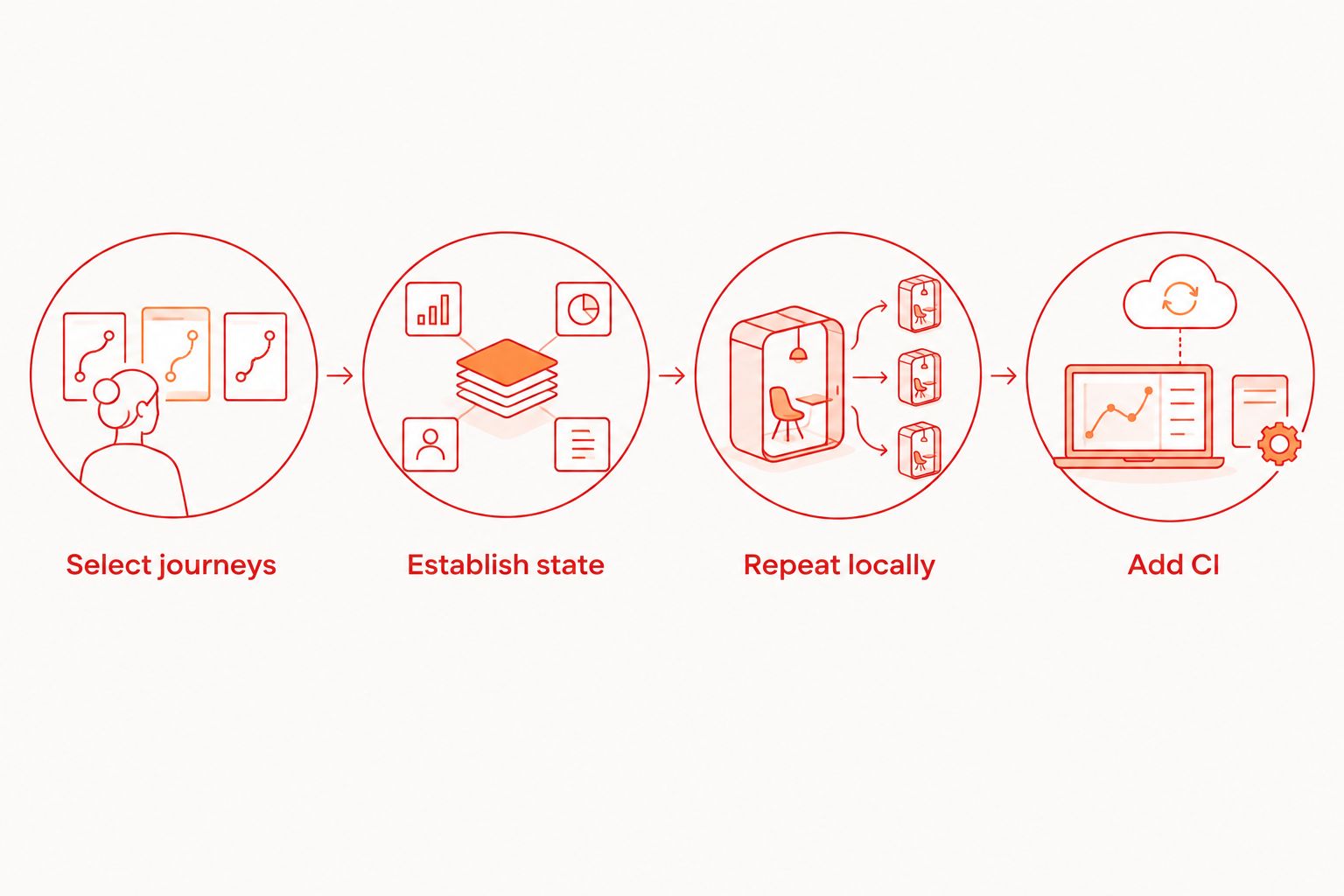
Use a small migration pilot in 2026. Your goal is to expose compatibility gaps before the team commits to a new authoring model.
Select journeys
Choose 3 user journeys: a normal release-critical path, a path with asynchronous loading, and a path involving state such as authentication or permissions. These are recommended pilot inputs, not a benchmark for sufficient coverage.
Write down the expected outcome for each journey. Preserve the assertion, not the old test's exact sequence of commands.
Establish state
Give each journey a known starting condition. Decide how you create test users, reset application data, and isolate backend records. Record which steps belong to the application, the framework, and the execution environment.
Repeat locally
Run each candidate flow 2 consecutive times from the same documented starting condition. Then investigate any difference. This is a basic reproducibility check, not evidence of long-term reliability.
Use the failure to evaluate inspection quality. A tool that launches successfully but leaves developers unable to explain a failed assertion has not passed the pilot.
Add CI
Start with 1 CI job after local execution is understood. Document the application artifact, environment setup, secrets, and failure output the job needs. Expand only after that job reproduces the local result.
For a 2026 rollout, keep the old suite until the replacement proves the required behaviors. Do not delete coverage merely because the new flows look shorter.
When optional cloud execution belongs in the decision
Local execution answers whether you can develop and debug a test. Hosted execution answers where and how that test runs outside your workstation. Evaluate those decisions separately.
Review cloud execution options when CI or execution scale becomes the actual constraint. Local use does not require moving the workflow into paid cloud execution.
Maestro Cloud and BrowserStack belong in an execution-service comparison when hosted runs are the requirement. Compare their current official documentation against your exact framework, artifact, environment, and data-handling needs. Neither service name alone establishes compatibility with your suite.
For your 2026 requirements, distinguish simulators, emulators, browsers, and physical devices explicitly. Support for one does not establish support for another. Require the environment you actually need rather than accepting the general label of mobile testing.
How the alternatives are ranked
The ranking prioritizes application fit, authoring workflow, inspection, state control, execution fit, and migration burden. It does not claim hands-on speed measurements or a feature-for-feature Appium replacement.
Local YAML development gets the default slot because it matches the reader starting a practical release workflow. React Native, Android, Apple-platform, and browser testing then receive distinct recommendations. Change that order when your application constraints change.
Which Appium alternative should you choose?
Start with Maestro Deck for local YAML flows and inspection. Choose Detox when React Native integration is the deciding factor, Espresso when Android owns the suite, XCUITest when Apple-platform tooling owns it, and Playwright when the target is a browser.
Keep Appium if your existing suite already covers required behavior and another tool does not solve a specific maintenance or development problem. A migration needs a measurable acceptance condition, such as preserving a named release journey or reproducing a failure locally. Novelty is not one.
FAQ
What's the best Appium alternative for local YAML tests?
Maestro Deck is the best fit on this shortlist for developers who want a local desktop runner and inspector for Maestro YAML flows. Local use is separate from optional cloud execution.
Is Detox better than Appium for React Native?
Detox is a stronger fit when React Native-specific integration and app-aware synchronization are your priorities. Validate your application's native modules and asynchronous behavior before replacing existing coverage.
Can Playwright replace Appium for native mobile apps?
No. Playwright automates browser interfaces, not native iOS or Android application screens. A mobile viewport does not change that boundary.
Should I choose Espresso or XCUITest?
Choose Espresso for Android UI tests and XCUITest for Apple-platform UI tests. If you ship both platforms, account for separate suites and maintenance workflows.
Do I need cloud execution to start E2E testing?
No. Start by making the required journeys repeatable locally, then add hosted execution when your CI or execution requirements call for it.
Does source-available mean open source?
No. Source-available means source access is provided under specified terms; open source requires licensing rights that meet the Open Source Definition. Review the actual license before adopting or modifying a tool.
Should I replace a working Appium suite in 2026?
Replace a working Appium suite only when a candidate solves a specific problem and preserves required coverage. Pilot representative journeys before retiring the existing tests.
One last thing
Your hardest test is the best migration test. Pick the journey that depends on asynchronous loading, permissions, or persisted state—not the screen that always opens cleanly. If the replacement makes that failure understandable and repeatable, you have a concrete reason to switch.


