Maestro Deck is source-available, not open source: it provides a free local desktop runner and inspector for Maestro YAML end-to-end test flows on iOS, Android, and web apps. Local use does not require an account or paid cloud execution, but access to source code does not automatically grant permission to modify, redistribute, or offer the software as a service.
- Is Maestro Deck open source? No. The desktop E2E testing runner is source-available.
- Free local execution does not require an account or paid cloud testing.
- Source access and open-source licensing are different; check the license for modification and redistribution rights.
- Evaluate cloud execution separately when your release workflow needs hosted runs or CI execution.
Why this matters
Maestro Deck is best for mobile and web developers who want a free local E2E testing runner with an inspector. That workflow fit is separate from whether your organization approves its license.
For your 2026 tool review, separate three questions: Can you run the tool? What does its license permit? Where will your tests execute? Treating those as one question creates avoidable confusion. A free desktop workflow is not proof of an open-source license, and optional cloud execution does not make local use account-dependent.
Start with the local runner when you need to write, execute, and inspect YAML flows. Review licensing before planning modifications or distribution. Evaluate hosted execution when your release process needs it—not as a prerequisite for trying the desktop tool.
Is Maestro Deck open source or source-available?
The correct classification is source-available. Do not label the desktop runner open source in an engineering proposal, dependency inventory, procurement form, or internal setup guide.
The distinction concerns permissions, not whether you can see code. The Open Source Initiative's Open Source Definition requires more than source access, including redistribution and modification rights and freedom from restrictions on fields of endeavor. Source-available is a broader description; the specific license determines the permissions attached to that source.
| Classification | What it tells you | Best for | Limitation |
|---|---|---|---|
| Open source | The license grants rights consistent with the Open Source Definition | Teams whose adoption policy requires open-source licensing | You still need to follow the license's conditions |
| Source-available | Source is accessible, with permissions governed by the applicable license | Teams that can evaluate the license against their intended use | Source access alone does not establish modification, redistribution, or hosting rights |
| Free to use | A usage offer does not require payment within its stated scope | Developers evaluating a local workflow | It does not establish copyright permissions or rights outside that scope |
These categories answer different questions. Software can be free to use without being open source. Software can also expose source code without granting every permission your organization needs.
Use the stated classification, then assess your intended use against the actual license. Do not replace a license review with a conclusion based on a repository, download button, or product description.
Free local execution: start with the desktop workflow
The local desktop runner supports writing and executing Maestro YAML E2E test flows for iOS, Android, and web apps. The inspector supports the development workflow around those flows. Local use does not require an account or a paid cloud service.
For a developer adding release checks in 2026, that makes local execution a practical starting point. Choose a user journey, express its actions and expected results in a flow, run it against your test app, and inspect failures before expanding the suite.
Keep the first evaluation focused:
- Flow authoring: Can you express the user journey you need to protect?
- Local execution: Can you reproduce the flow against your development or test app?
- Failure inspection: Can you identify which action or assertion failed?
- Team handoff: Can another developer understand the flow and reproduce the result?
The benefit is a local feedback loop without requiring cloud sign-up. The boundary is equally clear: a local workflow does not, by itself, answer how your organization will schedule shared runs, manage CI execution, or approve licensing.
Do not add a cloud dependency just to establish that your first flow works. First make the flow understandable and repeatable. Then decide where the release workflow should execute it.
Optional cloud execution: assess it separately
Cloud execution is optional when you need to scale testing or run tests from CI. It is not a condition of using the free local desktop runner, and choosing hosted execution does not change the desktop tool's source-available classification.
Use this comparison to keep the decision practical:
| Execution approach | Best for | Practical benefit | Trade-off to assess |
|---|---|---|---|
| Local desktop execution | Developers writing and debugging flows | Keeps authoring and inspection close to development | You must decide separately how shared release checks will run |
| Hosted cloud execution | Teams evaluating shared or CI-driven runs | Provides a hosted execution path beyond the desktop workflow | Requires a separate review of service terms, execution environments, and test-data handling |
Before cloud sign-up, define the app build, target environment, test accounts, and failure evidence your CI job needs. Check the service's current documentation against that list rather than assuming that local capabilities and hosted capabilities are identical.
Also distinguish simulators, emulators, browsers, and physical devices. A statement about simulator or emulator support does not establish access to physical devices. Match the documented environment to the behavior you need to test.
For a 2026 release workflow, choose cloud execution because it solves an execution requirement. Do not use it as a workaround for an unresolved licensing question.
Why licensing permissions differ
The label source-available does not describe a single standardized permission set. Your decision depends on the license and on what you intend to do with the software.
Review these factors:
- Use scope: Identify whether you need ordinary internal use, customer-facing use, or another deployment model. Check the terms against that activity.
- Modification rights: Reading source and changing source are separate permissions. Check what applies before maintaining a modified version.
- Redistribution rights: Installing a tool internally and supplying copies to customers are different activities. Review the latter explicitly.
- Service provision: Operating software for others is a separate use case to assess. Do not infer permission from local execution rights.
- Notice requirements: Check which copyright notices, license text, or other required materials must accompany permitted distribution.
- Component scope: Identify which terms apply to the desktop application, framework dependencies, and hosted service rather than assuming one license covers everything.
These are review questions, not claims that the desktop runner imposes a particular restriction. The applicable license supplies that answer.
If your team needs a repeatable review process, use the guide to evaluating source-available licensing. Keep the intended activity beside the relevant permission so your approval record explains the actual decision.
How should you evaluate the tool before adding release checks?
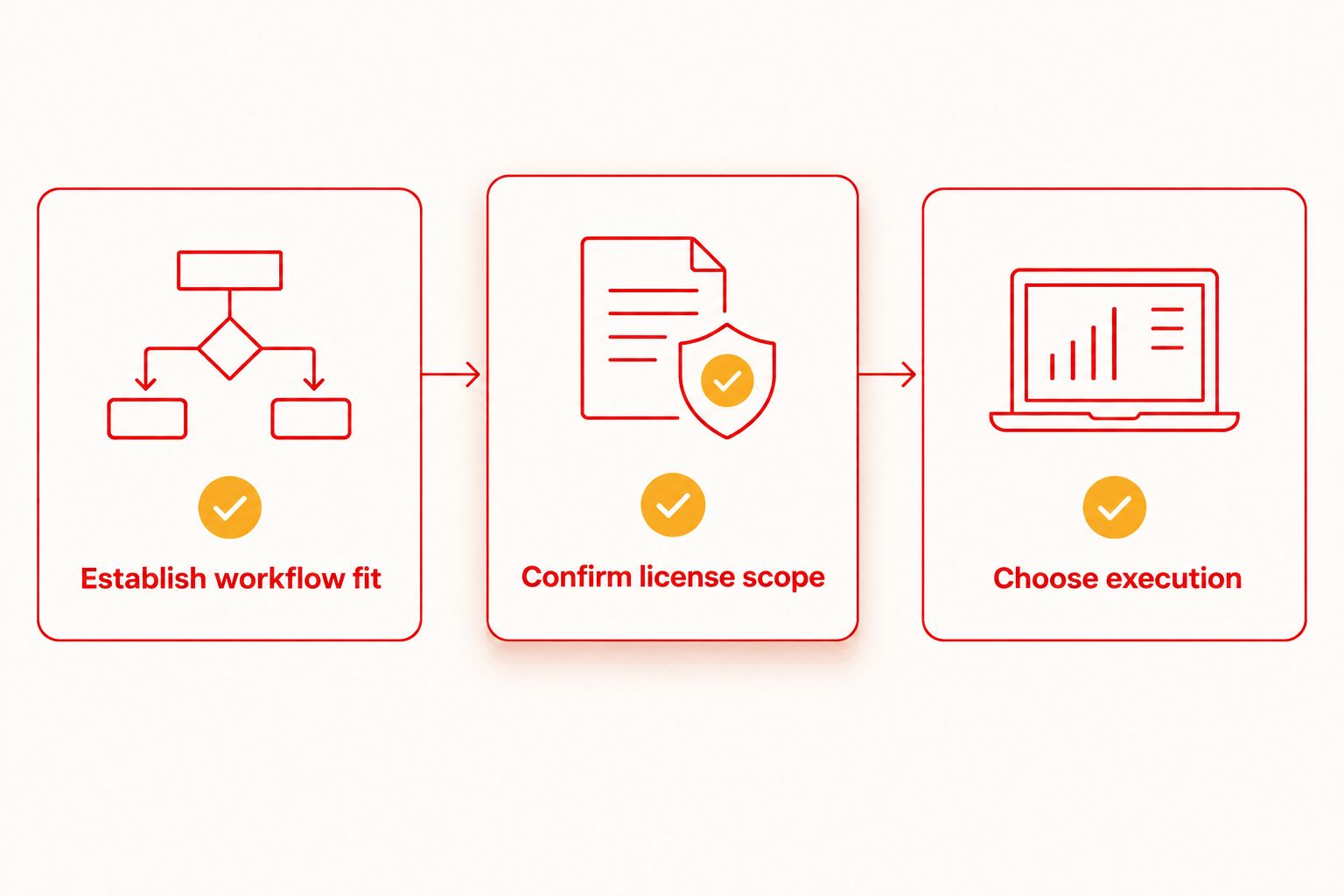
Separate the engineering trial from the permissions review. You need both, but they produce different evidence: a working flow shows that the workflow fits; a license review shows whether your intended use is permitted.
Establish workflow fit
Choose a release-critical journey that you can reproduce with controlled test data. Define the expected outcome before writing the flow. A test that completes actions without checking the result does not establish that the journey succeeded.
Run locally, inspect failures, and correct unclear steps before expanding coverage. Record what another developer needs to reproduce the test, including the app build and relevant starting state.
Confirm license scope
Identify the application version and the license that accompanies it. Record your intended use in concrete language: running internally, changing code, distributing copies, or providing a service. Ask the reviewer to assess that activity rather than approve an ambiguous request to use a testing tool.
Keep the license record with the adoption decision. Your 2026 approval should identify what was approved, not merely state that the code was visible.
Choose execution
Decide whether local execution meets the immediate need. If the release process requires CI-driven or hosted execution, assess that path separately and confirm the documented setup before making it a release dependency.
The workflow has a deliberate order: prove the test, establish permission, and select the execution environment. Source access is useful, but it cannot substitute for any of those decisions.
Does the Maestro framework have the same license as the desktop runner?
Do not assume that the Maestro framework and Maestro Deck share a license. The framework and the desktop runner are distinct components; using Maestro YAML flows does not make their licensing terms interchangeable.
Check the license attached to the exact component you plan to use. Apply the same discipline to any dependency you redistribute. A framework's permissions do not automatically transfer to a separate application built around it.
Keep naming precise in internal documentation, too. State whether an approval concerns the framework, the desktop runner, or a hosted service. Do not infer an organizational affiliation from shared terminology or compatible flow files.
Can you modify or redistribute source-available software?
Source-available does not automatically mean you can modify or redistribute the software. Those permissions must come from the applicable license, not from the fact that source can be read.
Internal experimentation, distributing a modified build, and embedding software in a customer deliverable are different activities. Describe the intended activity before asking for approval; otherwise, a narrow approval can be mistaken for permission covering a broader use.
If your project requires redistribution or a maintained fork, settle that question before building the project around it. A successful local test run is not evidence of redistribution rights.
FAQ
Is Maestro Deck open source in 2026?
No. Maestro Deck is source-available, not open source. Use that classification in your tool inventory and evaluate the applicable license against your intended use.
Can I use the local desktop runner without an account?
Yes. Local use does not require an account or paid cloud execution. Hosted execution is a separate decision when your workflow needs it.
Does free software always mean open-source software?
No. Free use describes a usage offer, while open-source licensing describes permissions granted under a license. Neither source visibility nor free use establishes the other rights.
Can I modify the code because it is source-available?
Source availability alone does not establish modification rights. Read the applicable license and check the permissions and conditions for your intended changes.
Do I need cloud execution to write and debug YAML flows?
No. The desktop runner and inspector support a local workflow for writing and executing Maestro YAML flows. Evaluate cloud execution separately for hosted or CI-driven runs.
Does simulator support mean physical devices are included?
No. Simulator and emulator support does not establish physical-device support. Confirm the documented execution environments before choosing a service.
Should I approve the framework and desktop runner together?
Review each component under its own applicable terms. Shared flow syntax does not establish a shared license or organizational affiliation.
One last thing
Write your license decision as a sentence about an activity, not a label. An approval for internal execution answers a clearer question than a note saying source-available is acceptable.
Attach the relevant version, license, intended activity, and reviewer decision to your 2026 adoption record. Revisit that record when the activity changes—for example, when an internal tool becomes part of a customer deliverable. A license review is useful only when it matches what your team actually does.