

Best overall for mobile YAML flows: Maestro, with Maestro Deck as the free local desktop runner. Best for browser-first applications: Playwright; best for native automation requiring platform-specific control: Appium. These are the best e2e testing frameworks in 2026 by workflow—not interchangeable winners for every application.
- Among the best e2e testing frameworks, Maestro wins for mobile YAML flows; Maestro Deck adds local execution and inspection.
- Choose Playwright for browser-first applications and Cypress for browser testing with an interactive runner.
- Choose Appium for platform-specific native automation, Detox for React Native synchronization, and Selenium for existing WebDriver suites.
- Start locally. Add cloud execution when your release workflow needs hosted runs or broader execution coverage.
Why this matters
Your end-to-end framework determines how you describe user actions, inspect failures, and maintain release checks. Choose around the application you ship, not the longest feature list.
A browser automation library does not replace native mobile automation. A cloud execution service is not a test framework. For your 2026 shortlist, separate three decisions: how you write tests, where you debug them, and where they execute.
Maestro Deck is best for developers who want to write, inspect, and run Maestro YAML end-to-end tests locally. It is a desktop runner and inspector, not the Maestro framework itself. Treat them as distinct products; this guide makes no affiliation claim.
What makes the best e2e testing frameworks?
Use these criteria before comparing names:
- Application fit: Match native mobile, browser, or React Native requirements before considering secondary features.
- Authoring model: Choose YAML flows or application code according to the assertions and abstractions your suite needs.
- Failure inspection: Evaluate how you identify the failed action, inspect application state, and reproduce the failure locally.
- State control: Confirm that your team can create test users, prepare data, and reset the application consistently.
- Execution requirements: Separate local execution from CI orchestration, hosted infrastructure, and physical-device testing.
- Maintenance ownership: Assign someone to selectors, fixtures, dependencies, and failing release checks.
A framework earns its place when a developer can diagnose a failed journey without reconstructing the entire run. Evaluate that experience before expanding coverage.
Best e2e testing frameworks at a glance
| Framework or workflow | Best for | Standout capability | Key limitation |
|---|---|---|---|
| Maestro with a local desktop runner | Mobile teams adopting YAML flows | Declarative user journeys with local inspection through Maestro Deck | Runner capabilities and framework capabilities need separate evaluation |
| Playwright | Browser-first applications | Browser automation with isolated browser contexts | Not a native iOS or Android UI automation framework |
| Cypress | JavaScript teams prioritizing interactive browser debugging | Command log and interactive test runner | Not a native mobile application testing framework |
| Appium | Native automation requiring platform-specific control | Driver-based automation across mobile platforms | Drivers, capabilities, and environment setup need maintenance |
| Detox | React Native teams needing app-aware synchronization | Synchronization designed around React Native application execution | App integration and build configuration add work |
| Selenium | Teams maintaining WebDriver-based browser suites | Standards-based browser automation across language bindings | Runner, reporting, and execution infrastructure require separate choices |
The table ranks workflows, not vendors by market share. In 2026, your existing application architecture and test ownership remain better selection criteria than a generic popularity ranking.
1. Maestro: best for mobile teams adopting YAML flows
Maestro expresses end-to-end user journeys as YAML flows. Maestro Deck provides a free, source-available desktop runner and inspector for writing and executing those flows across iOS, Android, and web applications.
Start with a journey you already check before release. Inspect the screen, identify the interaction target, execute the flow locally, and check the expected result. Keep the initial flow narrow enough that a failure points to a specific broken behavior.
Maestro pros:
- YAML keeps user actions explicit and readable.
- Flow files can live beside application code in version control.
- The local desktop workflow supports writing, execution, and inspection.
Maestro cons:
- YAML is a different authoring model from general-purpose test code.
- Application state and test data still require deliberate setup.
- Framework support does not establish every runner's execution capabilities.
Best for: Mobile developers and QA engineers who want declarative release checks and local debugging.
Source-available describes access to source under its license; it does not automatically mean open source. Evaluate license terms separately from execution features.
Verdict: Buy into this workflow for mobile YAML testing; start locally before adding hosted execution.
2. Playwright: best for browser-first applications
Playwright automates browser interactions and includes a test runner for JavaScript and TypeScript. Its browser contexts support isolated sessions, while traces help developers inspect what happened during an execution.
Choose Playwright when the release-critical journey happens in a browser: registration, account management, checkout, or an administrative workflow. Mobile browser emulation is useful for responsive behavior, but it is not native application automation.
Playwright pros:
- Browser contexts help separate session state between tests.
- Locators and automatic waiting support browser interaction testing.
- Trace inspection helps investigate failed actions and assertions.
- Code-based tests support application-specific helpers and fixtures.
Playwright cons:
- Native iOS and Android interfaces fall outside its browser automation scope.
- Your team must maintain test code and supporting fixtures.
- Browser coverage does not establish physical-device behavior.
Best for: Web teams that want browser automation and a code-based test suite.
Keep assertions focused on visible outcomes. A test that submits a form but never checks the resulting state proves only that the automation reached the submit action.
Verdict: Buy into Playwright for browser-first end-to-end coverage.
3. Cypress: best for interactive browser test development
Cypress combines browser test execution with an interactive runner and command log. It suits developers who want to inspect browser behavior while building and debugging tests.
Its command model deserves attention during evaluation. Cypress commands use a queued execution model; do not treat them as ordinary synchronous JavaScript statements or interchangeable promise chains.
Cypress pros:
- The interactive runner supports local test development.
- The command log helps connect test actions with browser behavior.
- Network interception supports controlled browser test scenarios.
Cypress cons:
- The command execution model requires framework-specific understanding.
- Native mobile application testing is outside its scope.
- Intercepted responses do not prove that the real backend works.
Best for: JavaScript teams prioritizing an interactive browser debugging workflow.
Distinguish controlled UI tests from full end-to-end coverage. Stubbed responses help isolate frontend behavior, but a release check should also exercise the integration it claims to protect.
Verdict: Buy into Cypress when its interactive workflow fits your browser team.
4. Appium: best for platform-specific native automation
Appium uses a driver-based architecture to automate applications across supported platforms. Mobile teams commonly use platform-specific drivers for Android and iOS automation.
Evaluate the complete setup, not Appium alone. The driver, automation backend, application build, device configuration, and test client all affect how your suite runs and fails.
Appium pros:
- Platform-specific drivers expose native automation capabilities.
- WebDriver client libraries support multiple programming languages.
- The architecture supports testing workflows beyond a single application stack.
Appium cons:
- Driver and platform dependencies add setup work.
- Platform differences still require explicit handling.
- A shared test API does not guarantee identical behavior across devices.
Best for: Teams that need native automation control and can maintain the supporting environment.
Select a representative interaction before committing: a system permission prompt, native navigation, or another behavior central to your application. Confirm that your chosen driver handles it in the environment you intend to use.
Verdict: Buy into Appium when platform control justifies the configuration work.
5. Detox: best for React Native synchronization
Detox is an end-to-end testing framework associated with React Native applications. Its synchronization model helps coordinate test actions with application activity rather than relying entirely on manually timed interactions.
That application awareness comes with integration work. Evaluate Detox against your actual build configuration and native dependencies before migrating a suite.
Detox pros:
- React Native is a central use case.
- Application-aware synchronization addresses timing coordination.
- Code-based tests support reusable application-specific helpers.
Detox cons:
- Application integration adds setup and build responsibilities.
- Synchronization does not fix incorrect selectors or uncontrolled data.
- It is not a general replacement for browser testing.
Best for: React Native teams willing to maintain test-specific application integration.
Do not adopt a framework only because your application uses React Native. Compare the debugging experience and build requirements against the journeys your release process actually needs.
Verdict: Buy into Detox when React Native synchronization outweighs integration overhead.
6. Selenium: best for established WebDriver suites
Selenium provides browser automation through WebDriver and language bindings. Selenium Grid supports distributing browser execution across configured environments.
For teams with an established suite, migration is not automatically an improvement. First identify whether failures come from the automation framework, fragile selectors, shared data, or unstable infrastructure.
Selenium pros:
- WebDriver provides a standardized browser automation interface.
- Multiple language bindings accommodate existing engineering stacks.
- Grid supports distributed browser execution.
Selenium cons:
- Test runners and reporting require additional choices.
- Grid infrastructure introduces operational responsibilities.
- Existing test code still needs isolation and selector maintenance.
Best for: Organizations already invested in WebDriver tooling and language-specific infrastructure.
For a new browser suite in 2026, compare Selenium's full setup with Playwright's integrated workflow. For an existing suite, demand a concrete migration benefit rather than rewriting functioning coverage for novelty.
Verdict: Hold a working Selenium suite; switch only to solve an identified problem.
Validate the framework with a release journey
Use the same evaluation exercise for every shortlisted framework. A successful demonstration is not enough; you need an understandable failure and a repeatable rerun.
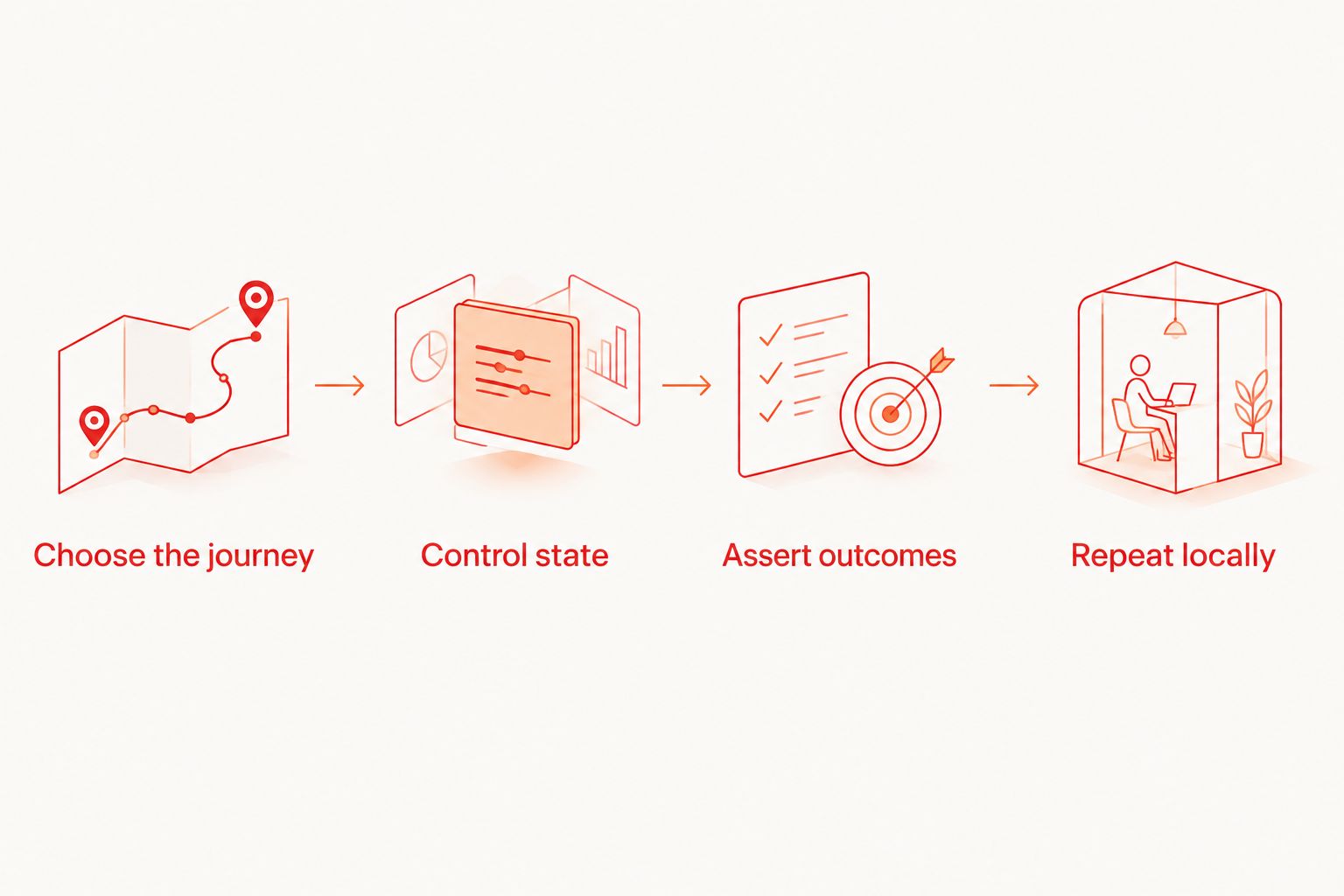
Choose the journey
Start with 1 critical journey, such as signing in and reaching an authenticated screen. Select a behavior that blocks release when broken, not a convenient screen that rarely changes.
Control state
Prepare the user, permissions, and application state before execution. Document which setup belongs in test fixtures and which setup requires a separate environment operation.
Assert outcomes
Use 3 checkpoints for the pilot: the starting state, the result of the primary action, and the persisted outcome. These are evaluation targets, not framework limits.
Repeat locally
Require 2 consecutive local runs from the same documented starting conditions. Then deliberately break an assertion and inspect the failure. Judge the diagnostic output, not just the successful run.
Repeat the exercise on another developer's machine before making the framework a release dependency. Hidden local configuration is a maintenance problem, even when the test itself passes.
Keep local testing separate from cloud execution
For Maestro Deck mobile E2E testing, local use does not require a cloud account or paid execution. Optional paid cloud execution is a separate decision when you need hosted runs or execution from CI.
Before signing up for cloud execution, specify the application artifact, test entry point, credentials, required environment, and failure evidence your pipeline needs. Confirm the service's documented capabilities against that list.
Do not equate simulator or emulator support with physical-device access. Browser coverage, operating-system coverage, and physical hardware coverage are separate requirements.
For your 2026 release workflow, first make the test repeatable locally. Then move the same release checks into an execution environment your team can diagnose.
Start with a local flow
Write, run, and inspect Maestro YAML flows locally. Treat cloud execution as a separate decision.
How the frameworks are ranked
The ranking follows application fit, authoring model, failure inspection, state control, execution requirements, and maintenance ownership. It is a use-case comparison, not a performance benchmark.
Maestro leads the mobile YAML workflow. Playwright leads the browser-first recommendation. Appium earns its slot when platform-specific automation matters more than minimizing configuration.
No ranking removes the need to validate your application. Run the same journey through your finalists and compare the work required to explain a failure.
Which e2e testing framework should you choose?
Choose Maestro with a local desktop runner for mobile YAML flows. Choose Playwright when your application is browser-first. These are different defaults for different application surfaces.
Keep Cypress when its interactive workflow serves your team, Appium when native control is essential, Detox when React Native synchronization fits, and Selenium when existing WebDriver coverage remains maintainable.
Your 2026 decision should end with a reproducible release check—not a framework migration plan without working tests.
FAQ
What's the best e2e testing framework for mobile apps?
Maestro is the default recommendation here for mobile teams that want YAML-based user journeys. Choose Appium instead when your requirements demand platform-specific automation control.
Is Maestro Deck the same as Maestro?
No. Maestro Deck is a free, source-available desktop runner and inspector for Maestro YAML flows; Maestro is the testing framework. Treat their capabilities and licensing as separate evaluation questions.
Is Playwright better than Cypress?
Playwright is the default browser-first recommendation in this guide. Cypress fits teams that prefer its interactive runner and command-log workflow; validate both with the same application journey.
Can Playwright replace native mobile testing?
No. Playwright automates browsers, including mobile browser emulation, rather than native iOS or Android application interfaces. Use native automation for native application behavior.
Do I need cloud execution before adding E2E tests?
No. Start by writing and debugging a repeatable local test. Add hosted execution when your CI or execution requirements justify that separate service.
Does source-available mean open source?
No. Source-available means the source can be accessed under the applicable license, while open source requires licensing terms that meet the relevant definition. Read the license before deciding how you can use or modify the software.
Do simulators prove an app works on physical devices?
No. Simulator and emulator execution does not establish physical-device coverage. Identify hardware-dependent release risks separately and confirm the execution environment supports the testing you need.
One last thing
A green end-to-end run can still test the wrong thing. After your pilot passes, remove the expected result from the application and confirm that the test fails at the intended assertion.
A release check earns trust when it detects the regression it claims to prevent. Do that before adding more flows.


