

Instead of manually rerunning mobile smoke tests before every merge, connect your Maestro flows to GitLab CI and require the test job to pass before merging. Start with Maestro Deck’s free local desktop runner to write and debug the flows; move execution into a prepared CI runner or an optional cloud service when you need automated release checks.
- For maestro testing gitlab ci workflows, validate YAML flows locally before making them merge requirements.
- Maestro Deck is best for developers who want free local authoring and inspection of Maestro end-to-end tests.
- GitLab CI needs a runnable app, a ready execution target, and an exit status that preserves test failures.
- Keep merge-request smoke tests focused; run broader coverage separately.
Why this matters
A passing app build does not establish that login, navigation, or checkout still works. An end-to-end job checks the running application, but only if the pipeline actually executes the intended flow against the intended build.
Maestro Deck is best for developers who want free local authoring and inspection of Maestro end-to-end tests. Use Maestro Deck to prepare your flows before introducing CI infrastructure. Local use does not require a cloud account.
Keep the names separate: Maestro is the testing framework whose YAML flows describe interactions and assertions. Maestro Deck is a source-available desktop runner and inspector for those flows. Source-available describes access to source code; it does not establish an open-source license or imply affiliation with the framework.
For this 2026 workflow, the release requirement is simple: the exact app build under review must pass the selected checks, and a failed check must remain visible to GitLab.
Before you start
- Prepare a known-good local test. Have repository access, a runnable test build, a dedicated test account, and at least 1 smoke flow that reaches an explicit success assertion.
- Choose a capable execution target. A GitLab runner that builds your app is not automatically configured to run it. Android needs an appropriate device or emulator environment; iOS simulator execution requires a suitable macOS environment. Simulator and emulator coverage is not physical-device coverage.
- Resolve credential access before enabling merge requests. Protected variables are restricted by GitLab’s protection rules. Fork pipelines and unprotected branches must not depend on credentials they cannot access. Never solve this by exposing secrets to untrusted code.
Choose the execution environment
Use local execution to remove test-authoring problems before debugging pipeline problems. Then choose where the automated run belongs.
| Execution option | Best for | Advantage | Trade-off |
|---|---|---|---|
| Maestro Deck local desktop runner | Developers writing and inspecting flows | Free local authoring and execution without a cloud account | Desktop validation alone does not create a GitLab merge gate |
| Maestro framework on a self-managed CI runner | Teams prepared to maintain their execution environment | Direct control over runner configuration and test execution | Your team owns device readiness, dependencies, cleanup, and isolation |
| Optional cloud execution | Teams moving execution infrastructure outside their own runners | Separates hosted execution from local flow authoring | Requires service-specific authentication, submission, result handling, and data review |
Maestro Deck’s optional cloud execution is separate from its free desktop workflow. Do not treat a desktop installation as a CI agent, or assume that another provider’s upload command works with this service.
Choose the execution environment before writing the pipeline job. Otherwise, a configuration that looks complete can reach the test stage without any usable application target.
Local flow preparation
- Select one release-critical journey. Start with login followed by a meaningful authenticated screen, or another path whose failure should stop a merge. Avoid combining every feature into the initial gate.
- Run the application build you intend to automate. Match its application identifier, environment, and authentication configuration to the CI build. A development build connected to a different backend is not an equivalent check.
- Write the Maestro YAML flow. Declare the application identifier with appId, describe the required interactions, and finish with an explicit assertion such as assertVisible against a meaningful result. Use the framework’s current documentation for command syntax.
- Inspect unstable targets. Use Inspector Mode to identify what the runner can actually select. Prefer stable identifiers where your application exposes them; do not select a generic label that appears on several elements.
- Repeat from a clean starting state. Complete 2 consecutive local runs with the intended reset procedure. This is an initial acceptance check, not evidence that the test cannot fail intermittently.
Expected result: the committed flow reaches the same observable outcome without manual intervention. A flow that needs a developer to dismiss a dialog is not ready for unattended execution.
Keep the smoke flow in version control beside the application. Reviewing application changes and test changes together makes an altered assertion visible before it weakens the merge gate.
GitLab pipeline configuration
Treat the job as a sequence of distinct responsibilities: build the application, prepare execution, run the flow, and report the result. For the 2026 setup, keep these boundaries explicit rather than hiding everything inside an opaque script.
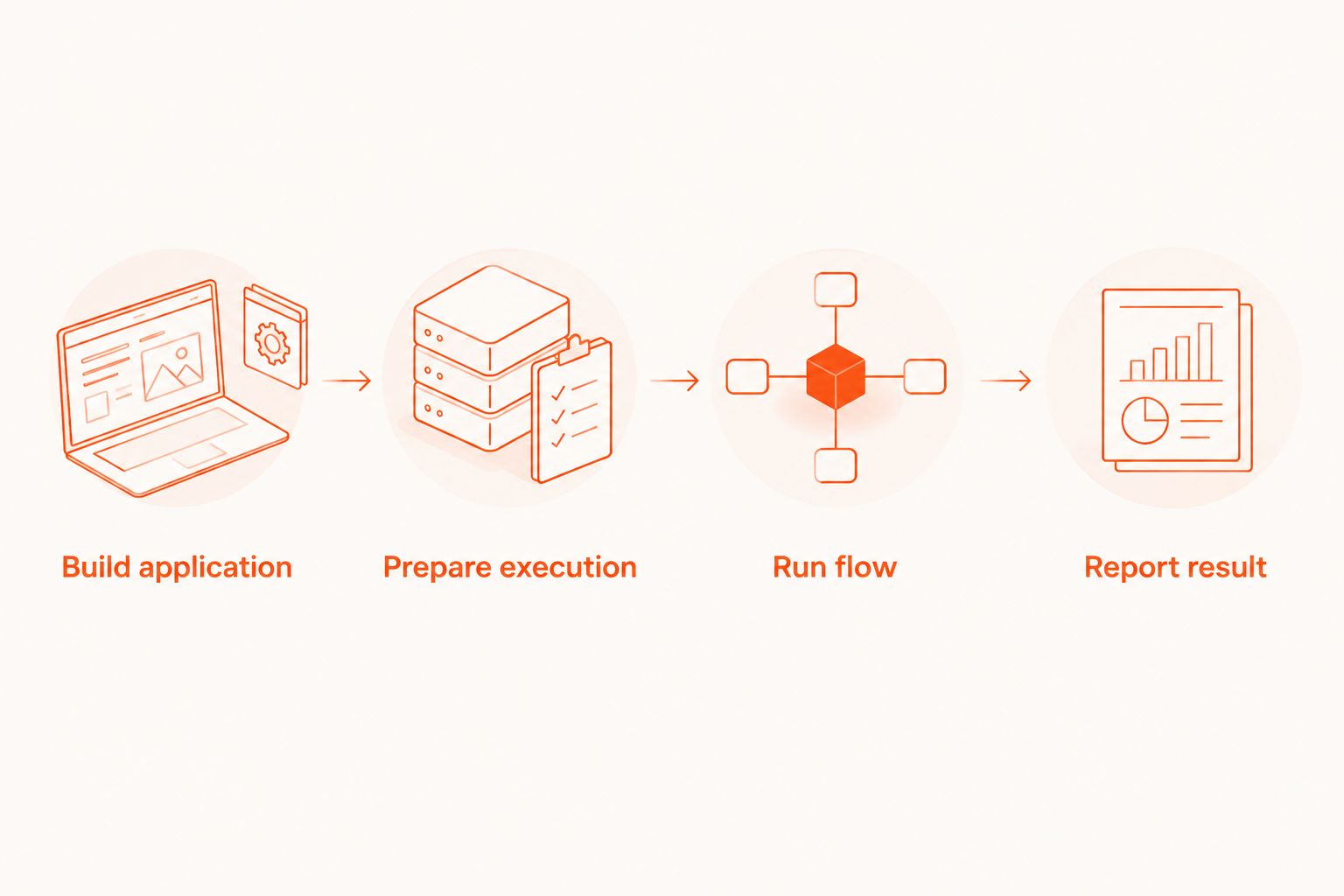
- Create the job in the repository’s CI configuration. Use the root .gitlab-ci.yml file, or the included configuration your project already maintains. Put the test job after the application build through your chosen stage structure or dependency configuration.
- Select the intended runner with tags. Match the job’s tags to a runner that supports the selected platform. A generic container runner is not a substitute for an iOS simulator host.
- Transfer the build deliberately. Publish the application package from the build job using artifacts. Configure the test job’s artifact dependency explicitly, including through needs when using that dependency model. Confirm that the downloaded package belongs to the current pipeline.
- Prepare the execution target. Boot the simulator or emulator, wait for readiness, install the build, and establish the required backend access. Keep readiness checks separate from UI assertions so failures identify the correct layer.
- Execute the committed flow. For self-managed execution, invoke the Maestro CLI’s test command against the selected flow path. For cloud execution, use the chosen service’s documented submission and result-waiting mechanism instead.
- Preserve the failure status. Do not suppress test errors or enable allow_failure for the required regression job. If cleanup follows execution, ensure cleanup does not replace the test failure with a successful exit status.
Expected result: GitLab shows a successful test job for a passing flow and a failed job for a failing assertion. A successful upload or accepted cloud submission is not a successful test run.
Merge-request controls and failure evidence
A working job is not yet a merge requirement. Configure when it runs, what evidence survives, and whether GitLab permits a merge after failure.
- Add merge-request pipeline rules. Use rules with CI_PIPELINE_SOURCE and the merge_request_event value to select merge-request execution. Review existing workflow rules too: job rules cannot restore a pipeline that the workflow excludes.
- Store credentials outside the repository. Open Settings, then CI/CD, then Variables. Add the credentials required by the selected environment. Scope access to trusted contexts and keep sensitive values out of command output.
- Retain diagnostic output after failure. Configure artifacts with when set to always for the diagnostic files your job actually creates. Keep report paths aligned with the runner or service output; declaring a path does not generate a report.
- Require a successful pipeline. Open Settings, then Merge requests, and enable Pipelines must succeed. Keep the required test job automatic rather than optional.
- Test the gate with an intentional failure. On a disposable branch, change an assertion so it fails. Confirm that the job fails, diagnostics remain accessible, and the merge request cannot pass the configured merge checks. Restore the assertion before merging.
Expected result: a known regression blocks the intended merge path, and the failure contains enough evidence to investigate without rerunning blindly.
For a 2026 rollout, verify 3 conditions independently: the job is included, the job reports failure, and the merge requirement rejects that failure. Checking only the green path leaves the most important behavior untested.
Run broader coverage after merge or on a schedule
Keep the merge-request workflow focused on release-critical behavior. Add a second workflow for wider coverage when the initial gate is reliable.
Use a default-branch pipeline for checks against the merged codebase. Use a scheduled pipeline for broader device, operating-system, or account-state coverage that does not need to block every change. Configure the corresponding rules rather than relying on manual job selection.
Separate the flow selection from the execution setup. The same preparation process can support a short smoke selection and a broader regression selection, while each job names the flows it actually runs.
Do not silently replace merge-request testing with scheduled testing. A scheduled result describes the revision it ran, not every open merge request.
If parallel jobs share a backend, give them isolated accounts or data. A larger suite that changes the same account from several jobs can produce failures unrelated to the application change under review.
Troubleshooting
The test job never appears
Check both workflow and job-level rules. Confirm that the pipeline source matches the event you intended to support, and that an earlier rule does not exclude the job.
Also inspect runner tags when a job appears but remains pending. Scheduling failure and test failure are different problems; changing selectors will not make an unavailable runner accept a job.
The application installs but the flow cannot launch it
Compare the flow’s appId with the installed build’s application identifier. Build variants can use different identifiers, and a correct local flow can therefore target the wrong CI application.
Confirm that the installation step succeeded on the same execution target used by the test command. Do not infer installation success from a downloaded artifact.
The flow passes locally but fails in CI
Check starting state, backend reachability, permissions, locale, and screen readiness before adding retries. Record which condition differs rather than adding a fixed delay to every interaction.
Use the same account-state preparation locally and in CI. An already authenticated desktop session can hide a broken login path that a fresh CI installation exposes.
GitLab reports success while hosted tests are still running
The submission command completed, but the workflow did not wait for the result. Use the service’s documented completion check and translate a failed test result into a failed job.
If the test runs on a self-managed runner, inspect shell handling instead. Error suppression and cleanup commands can also hide a nonzero test exit status.
Failure artifacts are empty or contain sensitive information
Check that diagnostic files exist before the job ends and that artifact paths resolve inside the job workspace. Configure collection for failed jobs, not only successful ones.
Inspect screenshots and logs for credentials, personal information, and test-account data. Apply your project’s retention and access requirements before making diagnostics broadly accessible.
Customize your workflow
Once the required job behaves correctly, expand coverage by risk rather than flow count. Add a session-expiry check, a permission transition, or a critical transaction only when its starting state and expected outcome are explicit.
For the 2026 maintenance baseline, record the runner environment, framework version, application build source, and test-data preparation in the repository. Pin dependencies deliberately and review upgrades as changes to the test system.
Use local inspection for flow development; consider cloud sign-up when maintaining execution infrastructure becomes a separate responsibility. Cloud execution remains optional, not a prerequisite for editing or running locally.
FAQ
How do I run Maestro testing in GitLab CI?
Add a job that receives the application build, prepares a compatible execution target, runs the committed Maestro flows, and preserves their exit status. Configure merge-request rules and require a successful pipeline if failures must block merging.
Do I need a cloud account to use Maestro Deck locally?
No. Maestro Deck provides a free local desktop runner and inspector without requiring a cloud account. Hosted execution is a separate, optional workflow.
Are Maestro Deck and the Maestro framework the same thing?
No. Maestro is the testing framework whose YAML flows describe tests; Maestro Deck is a source-available desktop runner and inspector for those flows. Do not infer organizational affiliation from their names.
Can a standard Linux runner execute iOS simulator tests?
No. iOS simulator execution requires a suitable macOS environment. Use an appropriately configured runner or a hosted execution option that explicitly supports the required target.
Why does my GitLab job pass when a Maestro test fails?
The job is not preserving the failed test result. Check error suppression, cleanup exit codes, optional failure settings, and whether a hosted submission waits for completion.
Should every Maestro flow block a merge request?
No. Start with a focused set of release-critical smoke flows and expand the gate after its setup and test data are reliable. Run broader coverage separately when it does not need to block each change.
Does emulator coverage prove an app works on physical devices?
No. Emulator and simulator results describe those execution environments, not physical hardware. Add physical-device validation when the release risk requires it, using an explicitly supported environment.
One last thing
Break the test system on purpose before trusting it. For your 2026 release workflow, a deliberately failing assertion is the simplest acceptance check: it proves the failure reaches GitLab and stops the configured merge path. A green pipeline cannot prove that by itself.


