

Instead of manually repairing shared accounts before each test run, give every execution its own account and backend fixtures, then delete only the records that execution owns. For mobile app automation testing, use Maestro Deck’s free local desktop runner to check the flow before moving the same isolation rules into CI or optional cloud execution.
- Maestro Deck is best for developers building and debugging Maestro YAML flows locally before adding optional cloud execution.
- Mobile app automation testing needs isolated backend fixtures as well as a clean app session.
- Give each concurrent worker its own account or exclusive account lease.
- Track fixture ownership so cleanup cannot delete another test run’s records.
Why this matters
A test that changes a shared account changes the starting conditions for the next test. An address update, consumed invitation, or completed onboarding step can break an unrelated flow without any application regression.
Treat test data as part of the test, not as background setup. Your 2026 release workflow should define who creates each record, which execution owns it, and what happens when execution stops halfway through.
Maestro Deck runs and inspects Maestro YAML end-to-end flows for iOS, Android, and web apps. Maestro is the test framework; the desktop runner is a separate tool for working with those flows. Account provisioning and fixture cleanup belong to your application’s test infrastructure, not to an assumed runner feature.
Before you start
- Prepare a nonproduction environment. You need permission to create test users and application records, plus a supported way to remove them. Use synthetic information rather than copied customer records.
- Prepare local execution. Have the desktop runner, a runnable app, and a Maestro YAML flow ready. Local use does not require a cloud account. Keep application credentials separate from committed flow files.
- Check the hidden dependency: identity state. Clearing app storage does not delete backend users, reverse server-side changes, or reset an external identity provider. Decide how those systems return to a known state before writing assertions.
The instructions below describe an application-owned fixture workflow. Names such as run key and worker key are proposed data-contract fields, not runner settings or Maestro commands.
Account ownership and fixture configuration
Choose the account strategy
Start with the account’s mutation scope. A read-only screen and an account-deletion flow need different ownership rules, even when both use the same sign-in screen.
| Account strategy | Best for | Advantage | Trade-off |
|---|---|---|---|
| Fresh account per execution | Flows that change profile, onboarding, or permissions | Separates account history between executions | Requires account creation and cleanup infrastructure |
| Exclusive account lease | Environments where creating users is restricted | Reuses prepared identities without concurrent sharing | Requires locking, lease release, and state restoration |
| Shared read-only account | Flows that genuinely leave account state unchanged | Reduces fixture setup work | Hidden mutations, including server-side session changes, undermine isolation |
Use fresh accounts for mutating flows unless your environment requires leased accounts. An exclusive lease is a valid alternative, but sharing a password is not a locking mechanism.
Define the fixture contract
- Assign a run key when execution begins. Make it unique across local runs and CI jobs in the same test environment.
- Assign a worker key to each concurrent execution unit. If 2 workers run together, give them 2 independently owned accounts or leases.
- Describe the required starting state. Specify the user role, onboarding state, and records that must exist. Do not depend on whatever a previous execution left behind.
- Return the created account identifier and fixture record identifiers to the execution process. Keep credentials in a separate, protected handoff.
- Record ownership in a fixture registry or another application-controlled store. Do not assume every application database table already supports test metadata.
Expected result: given a run key and worker key, you can identify the account and every fixture that execution is allowed to change or remove.
Keep this contract versioned with the tests. For a 2026 baseline, document the starting state explicitly rather than naming an account something vague like ready-user. The name does not explain whether onboarding is complete or which permissions exist.
Provisioning and local flow execution
Account isolation works when setup, execution, and cleanup agree on ownership. Keep those responsibilities separate so a failed setup cannot look like a failed product assertion.
Prepare the execution handoff
- Create or lease the account through your application’s supported nonproduction setup mechanism. Do not invent a runner integration when your application needs a fixture service or setup script.
- Create only the records the flow requires. For an address-editing flow, seed a known address rather than reusing an account with an unknown history.
- Verify setup before launching the flow. Confirm that the returned user has the intended role and that required records belong to that user.
- Pass the required values through the parameter mechanism documented for your installed execution tooling. Keep secret values out of source control, command output, and assertion messages.
- Preserve the run key in execution metadata so you can connect a failed assertion to its fixtures without exposing credentials.
Expected result: the flow receives a known account and known records, while setup failures stop execution before UI assertions begin.
Do not make the UI create every prerequisite unless account creation is itself under test. A setup failure in an unrelated onboarding screen should not prevent you from evaluating an address-editing regression.
Run against a known session
- End any previous authenticated session using the reset approach appropriate to your app and platform.
- Open the app and authenticate with the account assigned to this execution.
- Verify account identity before changing data. Use a stable user-specific attribute that your test can safely inspect.
- Execute the scenario and assert the resulting state, not merely the absence of an error.
- Rerun the scenario with a different run key. Confirm that the second execution does not depend on records from the first.
Expected result: the same flow passes with separately provisioned accounts and does not inherit another execution’s signed-in state.
For mobile app automation testing, session reset and backend reset are separate controls. Use the guide to resetting app state between test runs when deciding which local state to clear. Preserve the ownership checks even when the app starts cleanly.
Cleanup and failure evidence
Cleanup needs an ownership boundary. A broad delete operation aimed at every test-looking email address can remove another execution’s active fixtures.
Configure the cleanup lifecycle
- Capture the outcome and necessary diagnostic evidence before deleting fixtures. Exclude tokens, passwords, and unnecessary personal information.
- Schedule cleanup independently of the flow’s final assertion. A failed test still needs cleanup; a successful test does not prove cleanup completed.
- Delete dependent records through your application’s supported mechanism. Respect relationships and lifecycle rules rather than assuming that deleting the user removes everything.
- Remove only resources listed under the execution’s ownership record. Treat an ownership mismatch as a cleanup error.
- Make cleanup safe to repeat. An already-removed resource should not cause a retry to delete a different resource.
- Record cleanup completion separately from the test result. Add an expiry-based recovery process for abandoned fixtures after interrupted jobs.
Expected result: each execution has a traceable lifecycle, and retrying cleanup cannot broaden its deletion scope.
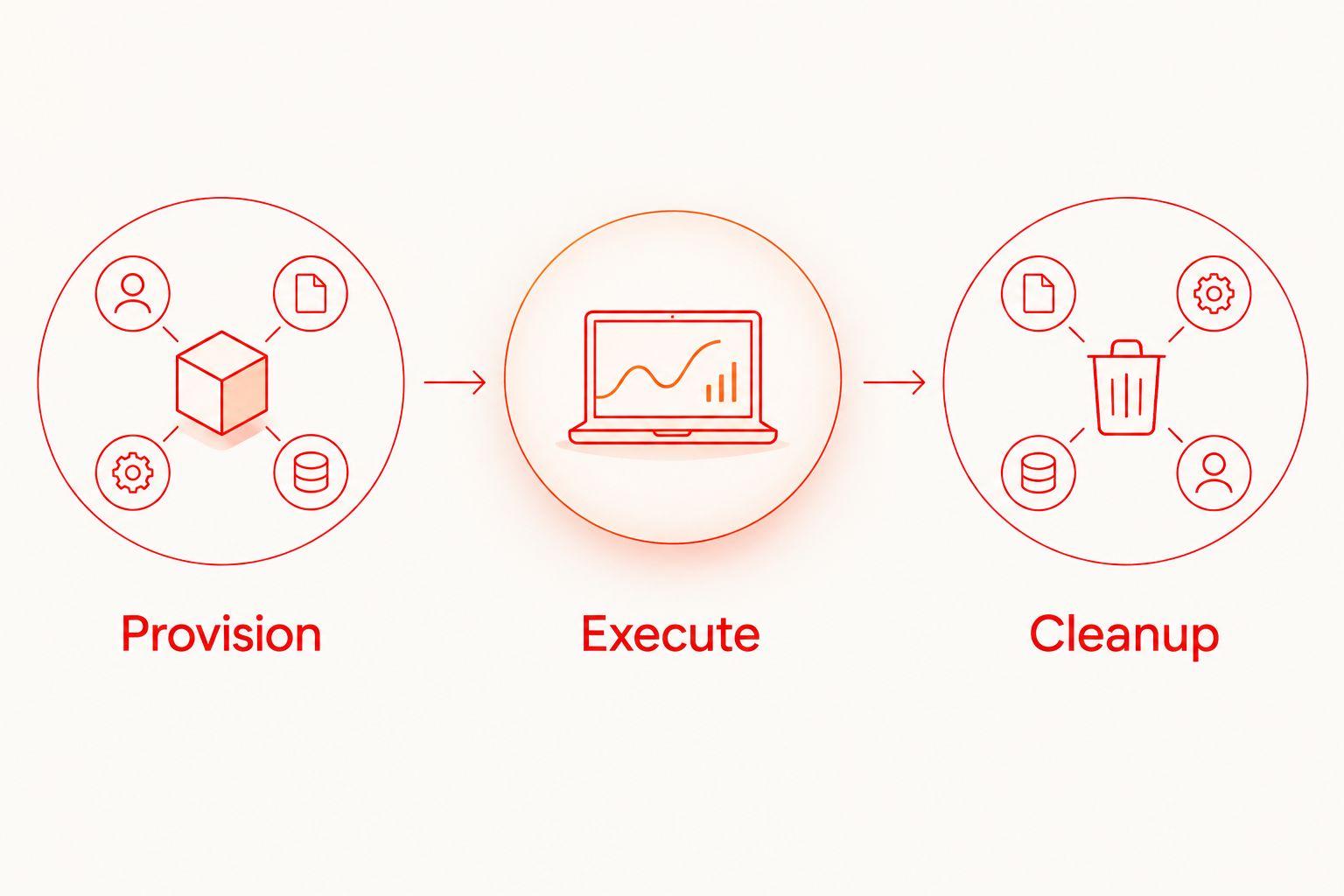
Use 3 explicit lifecycle stages in your 2026 runbook: Provision, Execute, and Cleanup. Each stage should report its own outcome. A green UI assertion with failed cleanup is a passed scenario with unresolved environment maintenance, not a fully clean execution.
Run the same workflow whenever a pull request changes
Best for: teams adding concurrent CI execution after local flows work. Trigger the existing fixture lifecycle from your pull-request workflow rather than introducing a shared CI account.
- Build the run key from execution-specific metadata. Include enough context to distinguish reruns of the same pull request.
- Allocate an account independently for each worker. Do not use the branch name alone as the ownership key; simultaneous jobs can share a branch.
- Run setup, flow execution, and cleanup with the same ownership record. Keep the application build and fixture contract compatible.
- Arrange cleanup outside the success-only path. Handle job cancellation through your abandoned-fixture recovery process as well.
- Test the arrangement with 2 concurrent workers before increasing concurrency. Check for account reuse, shared records, and cleanup collisions.
Expected result: concurrent jobs change only their own data, and a rerun does not attach itself to an earlier attempt’s fixtures.
Maestro Deck’s free local runner remains useful for reproducing failures. Optional paid cloud execution is a separate decision when you need execution from CI or additional capacity; local use does not require it. Neither execution location substitutes for account isolation.
Before enabling broader execution in 2026, check the selected environment’s documented target types and data-handling requirements. Simulator or emulator support does not establish physical-device availability.
Troubleshooting
The flow opens the wrong account
Check account identity immediately after authentication. Inspect the previous session, persisted authentication state, and the credential handoff separately. Reprovisioning backend data does not sign the app out of an existing session.
The flow passes alone but fails in parallel
Compare run keys, worker keys, leased accounts, and fixture identifiers across the failing executions. Look beyond users: a shared organization, invitation, or mutable global setting can connect otherwise separate accounts. Give each mutable dependency its own ownership boundary or serialize the affected scenario.
A retry starts halfway through onboarding
Confirm whether the retry reused a mutated account. Either provision a fresh account or restore every required onboarding condition before retrying. Reopening the app is not a backend reset.
A cancelled job leaves accounts behind
Use the fixture registry to find abandoned executions. Apply your documented expiry policy, verify that an execution is no longer active, and invoke the same ownership-scoped cleanup used after normal runs. Do not rely solely on a final UI step for resource removal.
Cleanup fails after account deletion
Inspect dependencies and cleanup ordering. Remove related records through supported application operations, and treat already-removed resources as completed work. Keep cleanup errors visible even when the UI scenario passed.
Customize your workflow
Expand coverage by changing fixture definitions, not by accumulating permanently modified accounts. Add role-specific users, separate organizations, or empty-state datasets only when a scenario needs them.
Keep a small release smoke suite separate from destructive account-lifecycle tests. Account deletion and permission revocation deserve explicit ownership and cleanup rules; they should not silently invalidate identities used elsewhere.
Maestro Deck is source-available, not automatically open source. Check the applicable license before adopting or modifying the runner. Licensing, execution location, and fixture ownership are separate decisions.
For your 2026 maintenance review, check these boundaries together:
- Account boundary: no concurrent execution shares a mutable identity.
- Data boundary: assertions and cleanup reference owned records.
- Evidence boundary: retained diagnostics exclude secrets and unnecessary user information.
- Recovery boundary: interrupted jobs leave enough ownership metadata for safe cleanup.
FAQ
What is account isolation in mobile app automation testing?
Account isolation gives each execution its own account or an exclusively leased account with a defined starting state. It prevents one test’s account changes from altering another test’s prerequisites.
Does clearing app data reset my test account?
Clearing app data does not reset the backend account. Server-side records, permissions, and onboarding state need a separate application-supported reset or fresh provisioning step.
Can parallel mobile tests use the same login?
Parallel tests should not share a login when either execution changes account state. Use separate accounts or exclusive leases, and isolate shared dependencies such as organizations and invitations.
Do I need cloud execution to isolate test data?
No. Account and fixture isolation apply to local execution as well as CI and cloud execution. Maestro Deck’s free local desktop runner does not require a cloud account.
How should I clean up data after a failed test?
Run cleanup independently of the final assertion and restrict deletion to the execution’s ownership record. Keep an expiry-based recovery process for fixtures left behind by interrupted jobs.
Should setup happen through the app UI?
Use the UI for setup when that setup behavior is what you are testing. For unrelated prerequisites, use an application-supported fixture mechanism and verify the resulting state before starting UI assertions.
What should happen when a failed test is retried?
Give the retry a fresh account or restore the complete required starting state before execution. Preserve distinct execution identifiers so cleanup and diagnostics cannot confuse the retry with the previous attempt.
One last thing
The fixture registry is test infrastructure worth testing. Deliberately interrupt an execution after provisioning, then verify that recovery removes its fixtures without touching an active execution. A suite that handles assertion failures but leaks data after cancellation has only solved part of the lifecycle.


