

Instead of manually rerunning failed tests to find out what happened, configure cloud based testing to return failure evidence to your CI job before that job exits. Start with the free local desktop runner from Maestro Deck, then add optional paid cloud execution when your release workflow needs hosted runs.
- Cloud based testing needs failure artifacts tied to the exact commit, app build, flow, and execution attempt.
- Maestro Deck is best for developers writing and debugging Maestro YAML flows locally before adding optional cloud execution.
- Keep failed tests red while publishing diagnostic evidence; artifact collection must not hide regressions.
- Collect only supported artifacts, redact sensitive data, and verify access from the CI run.
Why this matters
A red CI check tells you something failed. It does not identify the failing screen, distinguish an app crash from a runner interruption, or show whether a retry used the same build. Failure artifacts make those distinctions inspectable.
Maestro Deck is best for developers who want a free local Maestro YAML runner and inspector before adding cloud execution. Maestro Deck and the Maestro framework are distinct; this workflow does not assume affiliation or interchangeable cloud interfaces.
For your 2026 release workflow, define the evidence you need before choosing where to execute tests. The workflow below uses GitHub Actions terminology for the CI configuration and leaves cloud-provider commands unspecified: use the documented submission, status, and download interfaces for your selected service.
Before you start
- Have a working Maestro YAML flow, a testable app build or web target, and permission to run that target. Establish a local baseline before investigating cloud-specific behavior.
- Have access to the repository's GitHub Actions workflows and secrets. For hosted execution, also have the selected provider's account, credentials, and documented method of retrieving results.
- Check how hosted execution finishes. A successful submission is not a successful test run. If submission returns before execution ends, CI must wait for a terminal result before collecting evidence and deciding the test outcome.
Use synthetic test accounts. Decide who can download artifacts before collecting screenshots, logs, or recordings that contain personal data.
Configuration unit: evidence contract
Define what every failure must identify
- Record execution identity. Capture the commit SHA, CI run identifier, app build identifier, flow path, target platform, and provider run identifier when one exists. Record the attempt separately from the overall CI run.
- Create 1 manifest file per execution attempt. Store the identifiers alongside the final test status and the artifact inventory. A plain text or JSON manifest is sufficient; this is your workflow's record, not an assumed provider format.
- Choose supported evidence. Collect the test result and runner output. Add screenshots, recordings, app logs, or structured reports only when your execution environment actually produces and exposes them.
- Define absence explicitly. Distinguish an unsupported artifact from a failed download. Record that a screenshot was unavailable rather than creating an empty file that looks like valid evidence.
- Separate attempts. Give each attempt its own destination directory. Never let a retry overwrite the original failure.
Expected result: Each collected file belongs to an identifiable test attempt, and the manifest explains what evidence exists and what is missing.
For a 2026 artifact policy, start with an inventory rather than a promise that every runner supplies video. A screenshot captures a moment; a recording captures a sequence; logs capture emitted events. None substitutes for the exact build and flow identity.
Choose the execution boundary
The local runner and hosted execution solve different parts of the same workflow. Neither removes the need to preserve CI evidence.
| Execution option | Best for | Benefit | Trade-off |
|---|---|---|---|
| Local desktop runner | Writing and inspecting Maestro YAML flows | Keeps flow development local without requiring paid cloud execution | A local reproduction does not prove what happened in a separate CI environment |
| Cloud execution | Hosted test runs connected to CI | Moves execution into the hosted workflow you configure | Requires separate credential, completion-status, and artifact-access handling |
Use the local runner to understand a failing interaction. Use hosted execution when your workflow calls for it. Simulator or emulator support does not establish physical-device support; record the actual target type in the manifest.
Configuration unit: execution status
Keep submission, completion, and outcome separate
- Identify the build. Pass the intended app build or web target into the test workflow. Record an immutable build identifier where your build system provides one; a moving branch name alone does not identify the tested binary.
- Submit the test run. Use your provider's documented interface and capture the returned execution identifier. Save submission output without exposing credentials.
- Wait for completion. If execution is asynchronous, use the documented status interface until the run reaches a terminal state. Configure a finite timeout so an unreachable service cannot leave the CI job waiting indefinitely.
- Preserve the outcome. Keep the test result separately from the submission result and the later artifact-upload result. Successful artifact publication must not turn a failed test into a passed check.
- Plan cancellation behavior. Collect evidence after ordinary failures and timeouts where the runner remains active. Do not depend on cleanup completing after forced cancellation or runner termination.
Expected result: The CI job knows whether tests passed, failed, timed out, or never started, independently of whether evidence publication succeeded.
In GitHub Actions, inspect the step-level if condition on collection steps. Use the documented always() expression when collection must run after an earlier failure, and bound any network operation with a timeout. That expression does not make a terminated runner execute more steps.
Keep the final failure decision visible. Avoid blanket use of continue-on-error on the test step unless another explicit step restores the failed outcome. The guide to failing GitHub Actions builds on regressions covers that adjacent workflow.
Configuration unit: artifact publication
Bring evidence back before the runner disappears
- Prepare a destination. Create a dedicated evidence directory in the CI workspace. Put the manifest there even when execution fails before producing screenshots or reports.
- Retrieve supported files. Download artifacts using the provider's documented interface. A hosted results page is not automatically a directory on your CI runner; verify that files actually arrived.
- Check the inventory. Compare downloaded files with the manifest. Treat an unexpectedly empty directory as a collection failure, not proof that the test had nothing to report.
- Publish the directory. With GitHub's
actions/upload-artifactaction, configure name for an identifiable artifact and path for the actual evidence directory. Use a currently supported action version from its official documentation. - Set missing-file behavior. Configure if-no-files-found deliberately. Use an error when the publication step is expected to contain at least the manifest, rather than accepting a warning nobody investigates.
- Verify retrieval. Open the repository's Actions tab, select the workflow run, and find Artifacts on its summary page. Download the bundle and inspect its contents.
Expected result: An authorized developer can retrieve the failure bundle from the CI run and identify its commit, build, flow, target, and attempt without reconstructing the execution from chat messages.
For a 2026 rollout, validate publication with a deliberately failing test on a non-production target. A passing run does not exercise the failure path you need to trust.
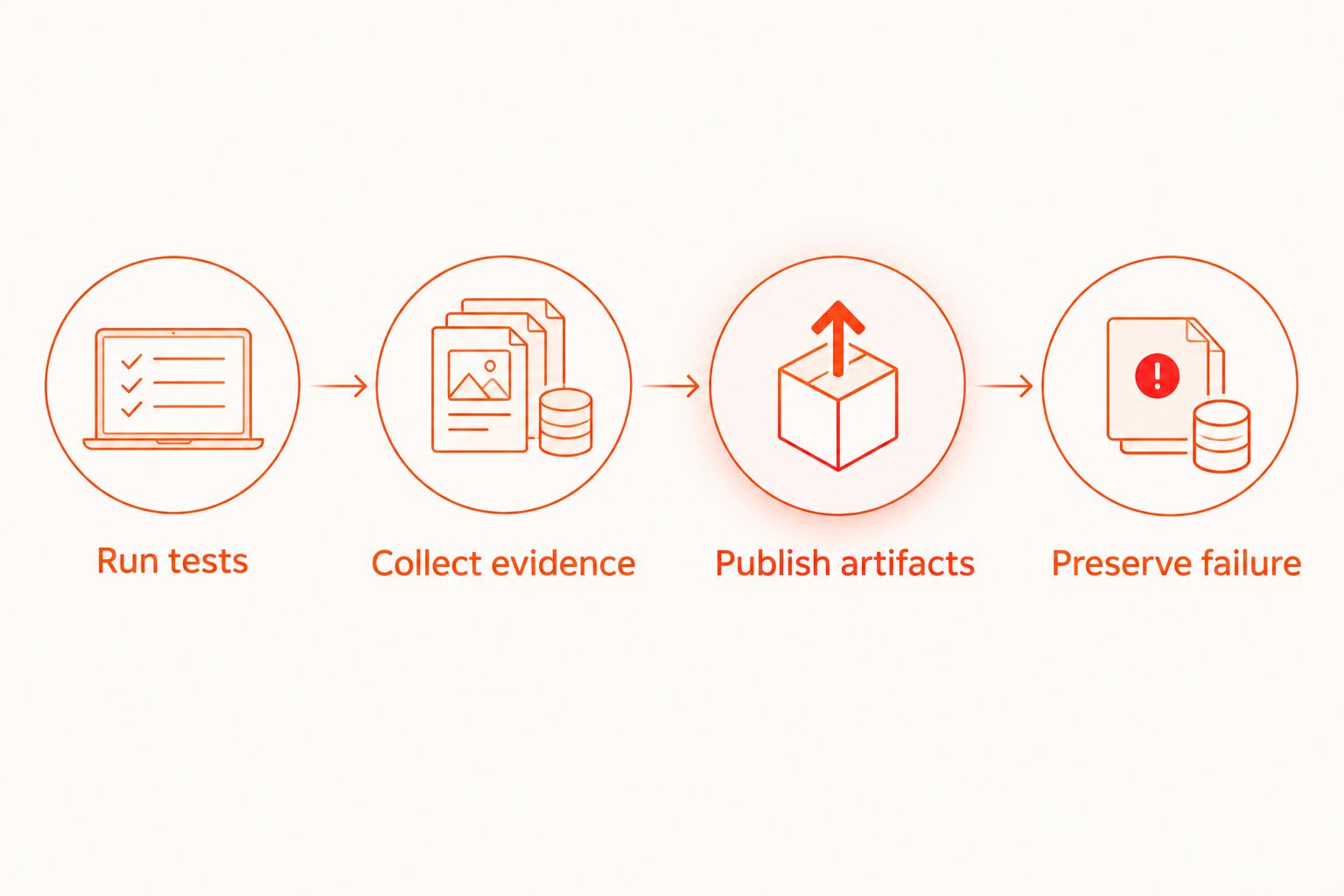
The evidence path is a sequence: Run tests, Collect evidence, Publish artifacts, then Preserve failure. Publication adds diagnostic context; it does not replace the test result.
Configuration unit: evidence access
Set retention and restrict sensitive output
- Classify the contents. Inspect sample screenshots and logs for account details, tokens, personal information, and internal addresses. Prefer preventing sensitive data from entering artifacts over redacting it afterward.
- Set retention deliberately. Configure retention-days on the artifact upload action within the limits permitted by your repository or organization. Choose the duration from your debugging needs and data-handling policy, not an arbitrary default.
- Check each storage location. CI artifacts and provider-hosted results are separate copies when both exist. Review access and retention for each; deleting one does not establish deletion of the other.
- Verify the handoff. Ask an intended maintainer to download the evidence using their own authorized access. Do not make a storage location public just to resolve an access error.
Expected result: The people responsible for fixing a failure can inspect its evidence, while retention and access match the sensitivity of the captured data.
Your 2026 evidence policy should cover diagnostic files as well as test data. Logs and screenshots can preserve information that the test environment itself later deletes.
Variant: collect evidence after a retry
A retry is a second execution, not an explanation of the first failure. Keep both attempts inspectable when you use retries to investigate intermittent behavior.
- Save the first attempt's result and artifact inventory before starting another execution.
- Keep the commit, app build, target configuration, and flow revision unchanged when investigating reproducibility.
- Store the retry in a separate directory with its own execution identifier and outcome.
- Compare the failing step, visible app state, and relevant logs across attempts.
- Report a failed-then-passed sequence explicitly. Do not silently replace the original failure with the later result.
With 2 failed attempts, you should have 2 distinct manifests, not a merged folder whose filenames overwrite each other. If a retry passes, preserve the failed attempt anyway: it contains the evidence that motivated the retry.
Best for intermittent failures: Retry with unchanged inputs and retain both outcomes. The benefit is a direct comparison; the trade-off is additional execution and storage, without proof of the underlying cause.
Troubleshooting
The CI job passes while the cloud test fails
The workflow is treating submission success as execution success, or suppressing the failed exit status. Wait for the terminal test outcome and make the final CI decision depend on it. Keep artifact-upload status separate.
The artifact bundle is empty
Check whether the cloud files were downloaded into the directory supplied to path. Then check whether collection ran after the failing step. Preserve the manifest even when the provider produces no other files, and use if-no-files-found to catch a missing publication directory.
Parallel runs overwrite evidence
The destination or artifact name does not distinguish executions. Include the CI run, target, and attempt in your naming scheme. Keep evidence from separate workers in separate directories before combining an inventory.
Developers cannot open the results
Identify whether access fails at the CI artifact or the provider-hosted result. Grant the intended maintainer the appropriate access at that boundary. Copying a private results link into a CI summary does not transfer authorization.
No screenshot exists after a crash
Check whether screenshot capture is supported and whether the app or runner survived long enough to capture it. Inspect available runner output and app logs instead. Report the missing screenshot accurately; do not infer the last visible screen from a later rerun.
Customize your workflow
Start with a release smoke flow and a stable artifact contract. Expand coverage only after you can retrieve and interpret a failed run. A larger suite multiplies evidence to inspect; it does not repair missing execution identity.
Use Maestro Deck to inspect and reproduce the failing YAML flow locally. Match the recorded app build and test account state where practical, and document any environment differences instead of treating local success as a dismissal of CI failure.
Add paid cloud execution when hosted runs serve your CI workflow. Keep local development independent: using the desktop runner does not require a cloud account. Maestro Deck is source-available; that description is not interchangeable with an open-source license designation.
FAQ
What should cloud based testing save when a CI test fails?
Save the test outcome, execution identifiers, and every relevant artifact the runner actually supports. Include the commit, app build, flow, target, and attempt so a developer can interpret the evidence.
Do I need paid cloud execution to use Maestro Deck locally?
No. Maestro Deck provides a free local desktop runner and inspector; paid cloud execution is optional when you need hosted runs.
How do I collect GitHub Actions artifacts after a failed test?
Configure the collection and publication steps to run after an earlier failure, using an appropriate step-level condition. Publish the evidence directory with actions/upload-artifact and preserve the failed test outcome separately.
Does every cloud test produce a video or screenshot?
No. Collect a video or screenshot only when the selected execution environment supports and exposes it. Record unavailable evidence explicitly in the manifest.
Should I retry a failing end-to-end test before saving its artifacts?
No. Save the original attempt's evidence before retrying, then store the retry separately. Otherwise, the later execution can overwrite the failure you need to investigate.
Can failure artifacts contain sensitive information?
Yes. Screenshots and logs can contain personal information or credentials. Use synthetic accounts, inspect collected output, and restrict retention and access.
Does emulator support mean tests run on physical devices?
No. An emulator or simulator is not a physical device. Confirm the actual execution target and include that target type in the run manifest.
One last thing
Test your evidence pipeline by making a test fail on purpose. Before expanding your 2026 suite, confirm that the check stays red, the bundle downloads, and its manifest identifies the intended build. A green test run proves none of those failure-path behaviors.


