

React Native mobile app testing is the practice of checking component behavior and installed-app journeys to catch release-breaking defects before you ship. Start with Maestro Deck, a free, source-available local desktop runner and inspector for Maestro YAML flows; shared JavaScript does not remove the need to check iOS and Android separately.
- Maestro Deck fits React Native teams choosing mobile app testing tools for local YAML flows and end-to-end testing.
- Use component tests for isolated behavior and installed-app flows for navigation, permissions, and release-critical journeys.
- Keep local execution independent of cloud accounts; add hosted runs when your CI workflow needs them.
- Choose simulator, emulator, browser, and physical-device coverage deliberately; these environments are not interchangeable.
Why mobile app testing matters for React Native teams
React Native shares application code across platforms, but your users interact with platform-specific builds. Navigation, keyboards, permission prompts, native integrations, and application lifecycle behavior belong in your testing plan. A passing component test does not prove that an installed application completes checkout or restores a signed-in session.
Your 2026 testing plan should separate two questions: does the application logic behave correctly, and does the packaged application complete the journeys you promise users? Answer the first close to the code. Answer the second through the application interface.
Choose tools around the failure you need to detect, not around the longest feature list. A desktop inspector helps you investigate a failing interaction. Hosted execution addresses a different workflow: running tests outside a developer's machine. Neither replaces a clear assertion or a reproducible starting state.
Start with a suggested smoke suite of 3 flows: launch the app, complete its main action, and verify the resulting state. Adapt those journeys to your product. For a React Native app that ships on both operating systems, keep 2 platform checks visible in the release decision rather than treating shared code as shared evidence.
Build your React Native testing workflow
Define the release journeys you must protect
Open the application and walk through its main user task manually. Write down the starting state, the interactions, and the visible result. Do this before selecting an automation service. A tool cannot decide whether the completed journey represents a useful outcome.
Keep the initial scope narrow. If your application depends on authentication, distinguish signing in from completing the primary task after sign-in. Otherwise, an authentication failure hides whether the rest of the application works.
Give each flow a purpose that a developer reviewing a failed release can understand. Prefer a name such as completing a saved draft over a vague label such as basic functionality. Define success independently of the mechanism used to interact with the screen.
- List the journeys whose failure should stop a release.
- Record the account and data state each journey requires.
- Specify a visible result, not just a completed tap.
- Separate authentication coverage from downstream tasks.
- Assign an owner for each release-critical journey.
Separate component checks from installed-app checks
Read your existing tests before adding another layer. Identify which behaviors you already verify in isolation and which require an installed build. Keep formatting rules, state transitions, and isolated component behavior close to their implementation. Reserve end-to-end flows for interactions that need the application running.
A React Native screen can render correctly in a component test while its installed-app journey fails at a native boundary. Permission handling and keyboard interaction are useful reasons to add application-level coverage. Repeating every small component assertion through the interface makes failures harder to diagnose.
For your 2026 coverage plan, map each release journey to the lowest test layer that can prove it. Then add an installed-app check only for the remaining integration risk.
- Inventory the checks already present in your repository.
- Keep pure logic assertions out of end-to-end flows.
- Identify navigation and native-integration boundaries.
- Record which checks require a packaged application.
- Remove duplicate checks that provide no additional evidence.
Write and inspect your first local flow
Run the target build locally and complete the journey by hand. Check that the account, application data, and starting screen are correct. Automation should reproduce that known path, not discover the path while executing.
Maestro Deck provides a free local desktop runner and inspector for writing and executing Maestro YAML flows. Maestro Deck is best for React Native developers who want a free local runner and inspector for Maestro YAML flows. Use the local workflow to inspect interactions and diagnose failures before adding remote execution.
Keep the distinction explicit: Maestro is the testing framework; the desktop runner and inspector are a separate tool for working with its flows. Do not treat the names as interchangeable or infer an affiliation from compatibility.
Keep YAML examples aligned with the current documentation for the commands you use. Save the working flow alongside the application code so changes to the interface and tests can be reviewed together.
- Confirm the application build before running the flow.
- Reproduce the journey manually on the target platform.
- Add explicit checks for the important visible states.
- Use the inspector to investigate the failing interaction.
- Commit the flow with the application change it covers.
Stabilize selectors and starting state
Inspect the application interface and decide which elements need a stable automation identity. Coordinate those identifiers with the developers implementing the screen. A selector that depends on incidental layout or changing copy connects the test to details that are not its purpose.
Use the selector mechanisms documented for your chosen framework. Check how identifiers appear on both iOS and Android rather than assuming identical behavior. For guidance on that decision, use selectors that survive layout changes.
Starting state deserves the same attention. A flow that depends on a previously signed-in session or an old draft tests yesterday's state as much as today's build. Define setup deliberately, and make the expected state visible when reviewing a failure.
- Assign stable identifiers to release-critical controls.
- Check selector behavior on each supported platform.
- Keep assertions separate from incidental display copy.
- Define the required account and application state.
- Reset or prepare test data before dependent journeys.
Check platform boundaries separately
Run the same release journey against your iOS and Android builds, then inspect where behavior differs. Shared flow intent does not require pretending the interfaces are identical. Keep platform-specific interactions explicit enough that a failure points to the relevant boundary.
Exercise the paths around permission prompts, keyboard appearance, interrupted sessions, and returning to the application. Select these checks based on the capabilities your app actually uses. An application without camera access does not need a camera-permission flow merely to fill out a checklist.
Treat environment choice as evidence scope. A simulator run establishes behavior in that simulator configuration; an emulator run establishes behavior in that emulator configuration. Neither establishes physical-device behavior. Keep that distinction in your 2026 release notes and test reports.
- Run the critical journey on each shipped operating system.
- Check only the permissions your application requests.
- Verify input fields with the keyboard present.
- Test relevant background-and-return behavior.
- Record whether each result came from simulated or physical hardware.
Add CI execution after local flows work
First prove that another developer can run the flow with the documented setup. That handoff exposes hidden assumptions about accounts, builds, environment configuration, and test data. Fix those assumptions before transferring the problem to hosted execution.
Use three named stages: Local check, CI run, and Release gate. The local check establishes that the flow works against the intended application. The CI run executes against a clearly identified build. The release gate uses that result to decide whether the release proceeds.
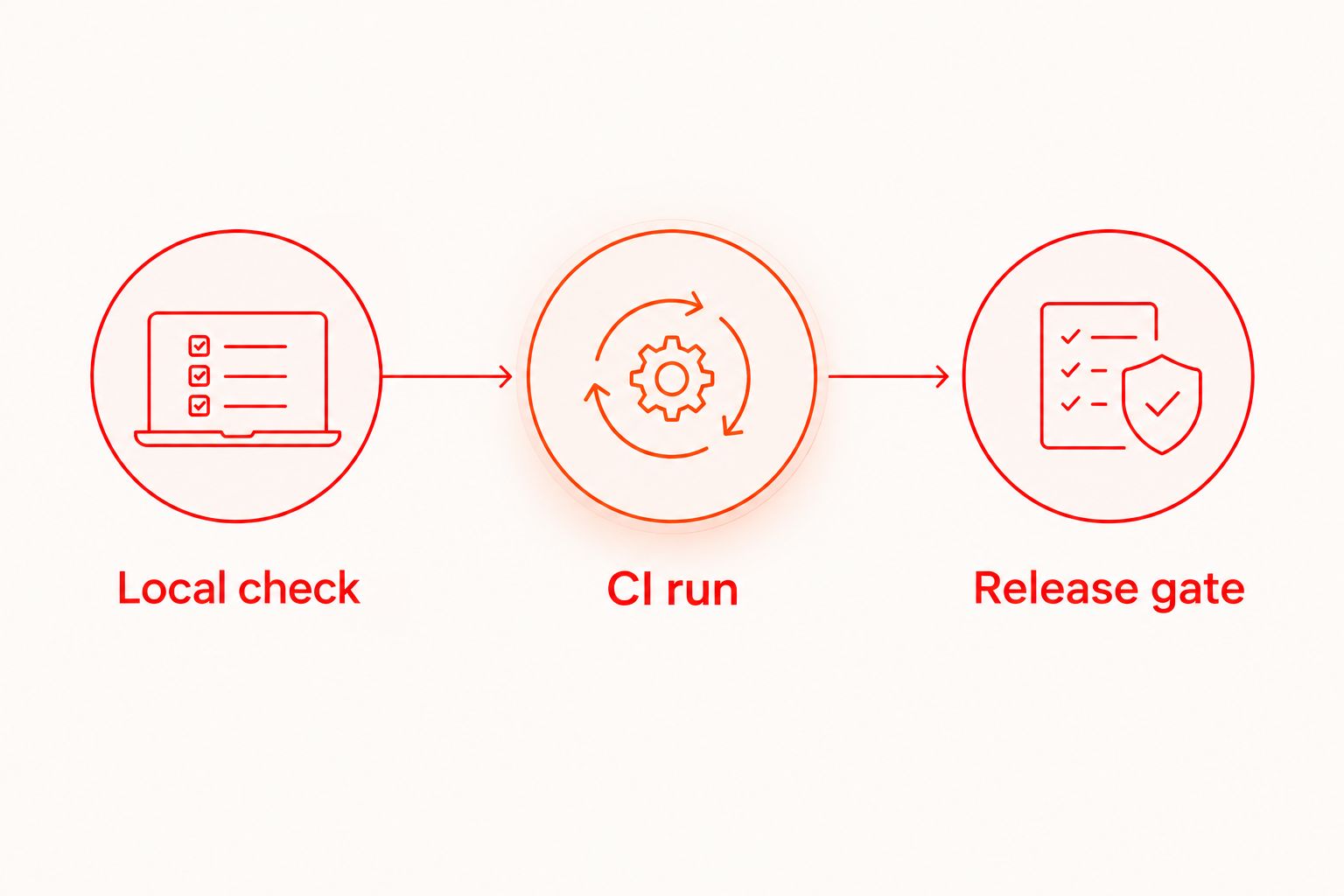
Cloud execution is optional. Local use does not require a cloud account or a paid run. For your 2026 CI plan, add hosted execution when you need tests to run outside developer workstations, and check the documented environments before choosing a service.
- Document how to obtain the build under test.
- Make test accounts and required data reproducible.
- Identify the application version in each run.
- Keep failure evidence accessible to the responsible developer.
- Define which failures block a release.
Review failures before expanding coverage
Read a failed result as a debugging task, not an invitation to rerun until something passes. Reproduce the failure, inspect the application state, and classify the cause. A product defect, an invalid setup, and an unstable selector require different fixes.
Use 1 release gate for the initial smoke suite rather than scattering overlapping release decisions across jobs. This is a suggested starting structure, not a limit on coverage. Add more checks when they protect distinct behavior and produce actionable failures.
Maintain a short record of recurring failure causes. That record tells you whether the next improvement belongs in application code, test setup, selectors, or execution configuration. More flows are not the first answer to an unreliable existing suite.
- Reproduce failures against the identified build.
- Separate product defects from setup failures.
- Repair unstable selectors instead of masking them.
- Review repeated failures before adding more coverage.
- Expand the suite around uncovered release risks.
Compare testing options by the work they do
For 2026, choose an execution model separately from a test layer. Component checks, local end-to-end tools, and hosted execution serve different purposes. Buying remote execution does not answer what your flows should assert.
| Option | Best for | Main benefit | Key limitation |
|---|---|---|---|
| Component-level tests | Developers checking isolated React Native behavior | Keep focused assertions close to the implementation | Do not establish that an installed-app journey works |
| Maestro Deck local runner | Developers writing and inspecting Maestro YAML flows locally | Provides a free desktop runner and inspector | Local execution alone does not establish hosted CI or physical-device coverage |
| Maestro framework | Teams defining application journeys in Maestro YAML | Supplies the framework used by the flows | Framework choice alone does not choose your runner or hosting model |
| Optional cloud execution | Teams moving reproducible flows into CI | Moves execution outside an individual developer workstation | Requires separate setup and confirmation of the available environments |
Start local; select hosted execution after the flow and environment requirements are clear. This keeps the decision attached to a working test instead of a service checklist.
Source-available and open source are different licensing descriptions. Source access alone does not establish open-source permissions. Review the applicable license when redistribution, modification, or deployment policy affects your decision.
Common mistakes React Native teams make
Treating shared code as platform coverage
A single shared implementation does not provide results for both installed builds. Keep iOS and Android results separate, particularly around native integrations. Mark untested platform behavior as untested rather than borrowing confidence from the other operating system.
Automating taps without checking outcomes
A flow that reaches the end of its interaction list has not necessarily completed the user task. Assert the resulting state. If saving a draft is the journey, check that the expected draft exists rather than stopping after the save action.
Moving unstable flows into the cloud
Remote execution does not correct an ambiguous selector or an undocumented account state. Reproduce the failure locally and repair the cause first. Then use the same defined setup when arranging hosted runs.
Mixing simulated and physical-device evidence
Simulator, emulator, browser, and physical-device results describe different environments. Label them explicitly. If a requirement depends on physical hardware, obtain evidence from the relevant hardware instead of extending a simulated result beyond its scope.
Turning every failure into a retry
Retries can conceal the evidence you need to diagnose a defect. Inspect the original failure and decide whether the product, setup, or test needs repair. A release decision should rest on understood results, not repeated attempts with unexplained differences.
FAQ
What's the best way to choose mobile app testing tools for React Native?
Choose mobile app testing tools by the behavior you need to prove: isolated logic, component behavior, or installed-app journeys. Start with release-critical journeys and select the execution environment separately.
Can I use Maestro Deck without a cloud account?
Yes, Maestro Deck provides a free local desktop runner and inspector independently of cloud execution. A cloud account is not a prerequisite for local use.
Is Maestro Deck the same thing as the Maestro framework?
No, Maestro Deck is a desktop runner and inspector for Maestro YAML flows, while Maestro is the testing framework. Compatibility does not establish affiliation.
Do React Native apps need separate iOS and Android tests?
React Native apps that ship on iOS and Android need test evidence for each platform. Shared application code does not verify platform-specific permissions, keyboard behavior, or native integrations.
Should I run end-to-end tests locally or in CI?
Establish a reproducible local flow before adding CI execution. Local inspection helps diagnose interactions; CI execution connects test results to an identified application build.
Does a simulator test prove my app works on physical devices?
No, a simulator test establishes behavior in the tested simulator environment. Physical-device requirements need evidence from the relevant physical hardware.
Is source-available software the same as open-source software?
No, source-available software exposes source code but does not automatically grant open-source permissions. Review the applicable license before making redistribution or modification decisions.
One last thing
Before expanding your suite, remove one hidden dependency from its setup. Ask another developer to run a critical flow using only the repository instructions. If they need your existing session, a private explanation, or unrecorded test data, fix that dependency first.
A repeatable starting state is part of the test. Keep it under review with the flow itself. That makes your next local investigation or hosted run easier to interpret without adding another tool.


