

Best default workflow: Maestro Deck for free local development, with optional cloud execution. Best for hosted Maestro flows: Maestro Cloud. Best for physical-device testing: BrowserStack. This 2026 guide compares where each option fits in a mobile release workflow, not which vendor has the longest feature list.
- The best cloud based testing platforms for mobile apps solve different execution and device-coverage problems.
- Maestro Deck is best for developers starting with free local YAML flows before adding optional cloud execution.
- Shortlist Maestro Cloud for hosted Maestro execution and BrowserStack for physical-device testing.
- Prove repeatable app state and useful failure evidence before moving release checks into CI.
Why this matters
A cloud runner cannot repair an ambiguous assertion or a test account that changes underneath your suite. It moves execution somewhere else. You still own the app build, test data, selectors, assertions, and release decision.
For a 2026 mobile testing shortlist, separate two questions: where should tests execute, and which environments must they cover? A developer debugging a YAML flow needs fast access to the failing interaction. A release engineer checking hardware-specific behavior needs the relevant physical device. Those are different jobs.
Start with 1 smoke suite, not a migration of every manual test. Use that suite to evaluate local debugging, unattended execution, and failure diagnosis before expanding coverage.
What makes the best mobile cloud testing platform?
Use these criteria before comparing vendors:
- Authoring fit: Keep the test format your team can maintain. Maestro YAML and an Appium-based suite create different implementation decisions.
- Execution environment: Distinguish iOS simulators, Android emulators, browsers, and physical devices. Coverage in one does not establish coverage in another.
- Debugging evidence: Require enough context to distinguish an application regression from a setup or test failure.
- CI behavior: Establish how a job starts, reports completion, exposes failures, and controls the release gate.
- State and data control: Define account setup, cleanup, backend access, credentials, and artifact handling before sending tests to a hosted environment.
- Operational fit: Check whether your team needs local execution, hosted capacity, self-hosting, or a combination. Do not buy a cloud dependency to solve an authoring problem.
Apply the same acceptance checklist to every candidate. A polished dashboard does not compensate for a test that cannot reproduce its starting state.
Mobile testing platforms at a glance
| Platform | Best for | Standout fit | Key limitation or evaluation gate |
|---|---|---|---|
| Maestro Deck | Local-first development with optional cloud execution | Desktop runner and Inspector Mode for Maestro YAML flows | Simulator and emulator coverage does not prove physical-device behavior |
| Maestro Cloud | Hosted execution for teams committed to Maestro | Cloud execution of Maestro flows | Validate the complete build-to-result workflow before making it a release gate |
| BrowserStack | Physical-device testing | Hosted access to physical mobile devices | Confirm device coverage and compatibility with your chosen automation framework |
These are distinct use-case slots, not interchangeable recommendations. This 2026 ranking prioritizes workflow fit; it does not claim measured differences in speed, reliability, or total operating cost.
1. Maestro Deck: best mobile testing workflow for local-first teams
Start with the free, source-available desktop runner and inspector. Write and execute Maestro YAML end-to-end flows for iOS, Android, and web apps locally. Local use does not require an account or paid cloud execution.
Maestro Deck is best for mobile developers who want to debug Maestro YAML flows locally before adding cloud execution. That sequence keeps test authoring separate from the decision to adopt hosted infrastructure.
What the local-first workflow gives you
Use Inspector Mode while developing the flow. Establish the intended interaction and visible outcome before treating the test as an unattended check. Keep the flow in your project so application changes and test changes receive review together.
Cloud execution is optional when you need to scale execution or run tests from CI. The supplied cloud description covers simulators, emulators, and browsers; do not read that as a promise of physical-device access.
Pros:
- Start with a desktop runner instead of making cloud setup a prerequisite.
- Use an inspector alongside the YAML authoring and debugging workflow.
- Cover mobile and web flows within the stated product scope.
- Add hosted execution when your release workflow needs it.
Cons:
- A successful local flow does not establish that the same setup works unattended in CI.
- Simulator and emulator results do not establish physical-device behavior.
- Source availability does not, by itself, establish open-source licensing rights.
Best for
Choose this route when developers own the tests and need to inspect failures while changing the app. It also fits teams that want to prove a useful smoke suite before introducing a hosted execution dependency.
For your 2026 evaluation, keep local and cloud acceptance separate. First demonstrate a repeatable local flow. Then demonstrate that the hosted run receives the correct build, reaches the required backend, and returns an actionable result.
Verdict: Buy into the local-first workflow; hold cloud adoption until unattended execution solves a concrete need.
2. Maestro Cloud: best hosted option for a Maestro-based suite
Maestro Cloud provides hosted execution for Maestro flows. Put it on the shortlist when Maestro is already your test format and your next problem is running those flows outside a developer's workstation.
Keep the names separate. Maestro is the testing framework; a desktop runner and a hosted execution service are different products and workflow components. A shared YAML format does not establish shared ownership, affiliation, or identical behavior across services.
Evaluate the execution boundary
Use a representative application build and a flow your team already understands. Check the transition from a local run to a hosted run rather than judging the service from an isolated demonstration.
Your evaluation must answer practical questions: how does the build arrive, how are secrets supplied, which environment executes the flow, and what evidence reaches the engineer when execution fails? Confirm these details in current official documentation and the configuration you actually use.
Pros:
- Fits a team already maintaining Maestro YAML flows.
- Addresses hosted execution without making a framework change the starting requirement.
- Gives a clear evaluation target: the same intended user journey outside the workstation.
Cons:
- Hosted execution does not remove responsibility for test data and backend access.
- An existing Maestro flow still needs validation in the selected hosted environment.
- Framework familiarity alone does not establish device coverage or data-handling suitability.
Best for
Choose Maestro Cloud when hosted Maestro execution is the primary requirement. Do not select it solely because the product name resembles another tool in your workflow.
For a 2026 release gate, prove both outcomes: an intentional application failure must block the job, and a passing flow must produce a clear completion result. Also check how interrupted or incomplete execution appears to the pipeline.
Verdict: Buy for a validated hosted Maestro workflow; hold if execution-environment requirements remain unresolved.
3. BrowserStack: best shortlist candidate for physical-device testing
BrowserStack offers cloud-based testing on physical mobile devices. Its mobile automation offerings include Appium-based testing, making it relevant when physical-device coverage or an existing Appium suite drives your decision.
Physical-device access answers a different question from local flow authoring. It lets you evaluate behavior on the selected hardware and operating system, but it does not automatically make every test representative of your users.
Start from the hardware question
Write down the behavior that requires a physical device. Examples include an interaction with device hardware or a defect observed on a specific device and operating-system combination. Then confirm that the selected service configuration exposes the environment and capabilities your test needs.
Do not assume that a provider's general device offering applies to every automation framework, plan, or execution mode. Check the exact combination before changing your suite.
Pros:
- Addresses a physical-device requirement rather than treating emulation as equivalent coverage.
- Belongs on the shortlist for teams maintaining Appium-based mobile automation.
- Supports a device-led evaluation tied to a specific release risk.
Cons:
- A device catalog does not guarantee compatibility with your existing test framework.
- More device combinations create more results to investigate and maintain.
- Physical devices do not eliminate inconsistent accounts, backend dependencies, or weak assertions.
Best for
Choose BrowserStack when you can name the physical-device requirement or already have a compatible automation suite to evaluate. Keep developer-side debugging in the workflow; remote device access is not a substitute for maintaining understandable tests.
For your 2026 pilot, select the device configuration because it addresses a release risk. Avoid expanding the matrix simply because additional configurations exist.
Verdict: Buy for a demonstrated physical-device need; skip a broad device matrix without a coverage rationale.
Prove the workflow before choosing the platform
Evaluate candidates through 3 acceptance gates: local proof, hosted proof, and release proof. These are recommended evaluation steps, not vendor performance benchmarks.
Local proof
Choose a user journey with an observable outcome. Define the starting account, application state, backend environment, and expected result. Avoid a journey that passes merely because the app launches.
Run it again after restoring the starting state. If the outcome changes because a previous run left data behind, fix isolation before evaluating hosted execution. Otherwise, you will be comparing platforms using an unstable test.
Hosted proof
Send the intended build to the selected execution environment. Supply only the credentials and test data required for that journey. Check connectivity to backend services and establish where logs and other execution artifacts are retained.
Inspect a failure deliberately. Change an expected outcome or use a build with a known regression, then confirm that the returned evidence identifies the failing step. A green demonstration is not enough to evaluate diagnosis.
Release proof
Connect the validated flow to CI. Confirm that a failed assertion prevents the intended release step and that interrupted execution cannot be mistaken for success.
Assign an owner for failures. Decide who investigates an application regression, a test-data problem, and an execution setup issue. Without that ownership, an automated gate becomes a queue nobody trusts.
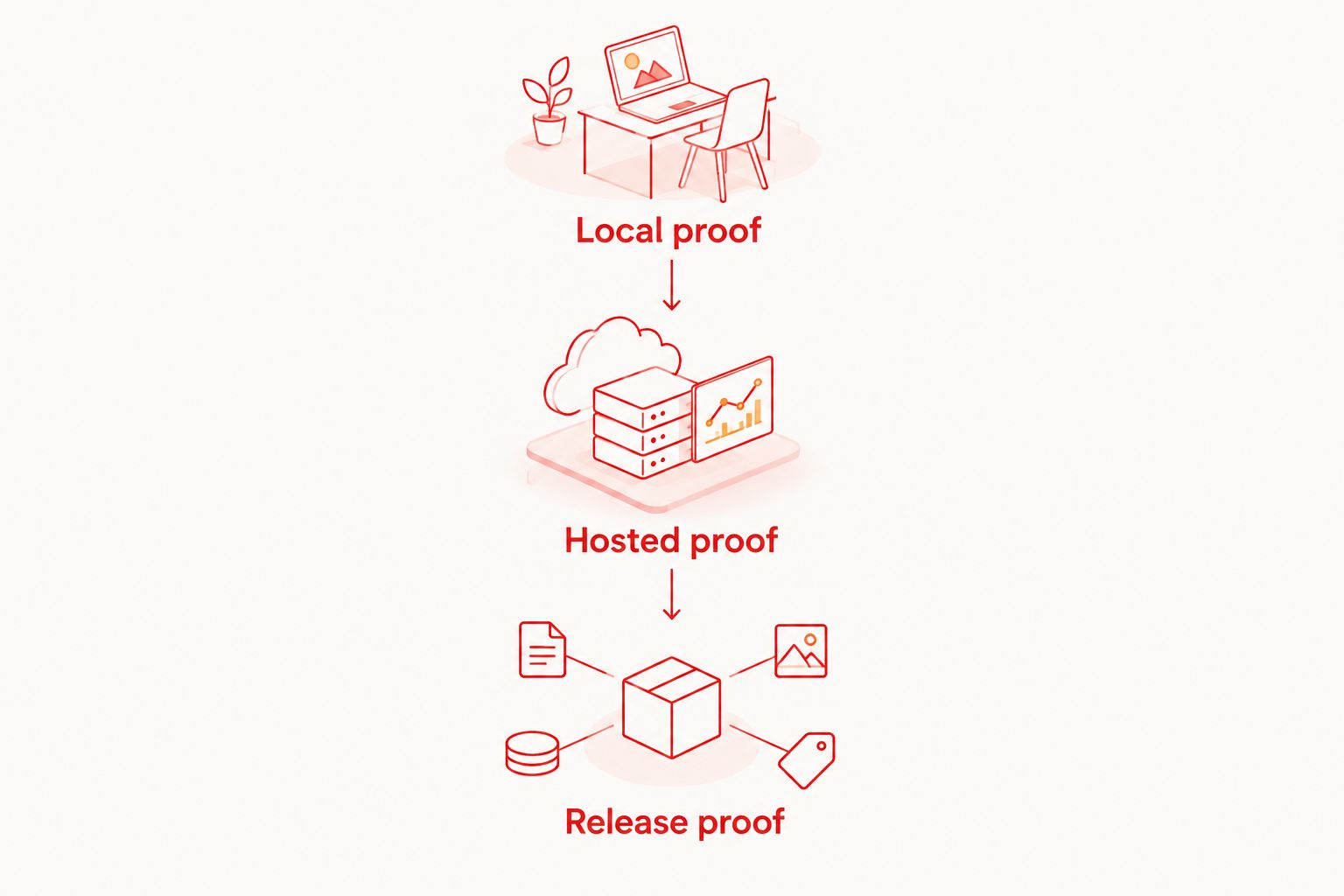
Keep 2 execution lanes where they serve different jobs: a developer lane for authoring and diagnosis, and a CI lane for unattended release checks. They can share the intended user journey without pretending that their setup is identical.
Start with a local flow
Use the free desktop runner and Inspector Mode before deciding whether cloud execution belongs in CI.
How this ranking works
The ranking follows the criteria above: authoring fit, execution environment, debugging, CI behavior, data control, and operational fit. Local-first development takes the default slot because it establishes a maintainable test before adding hosted execution.
The other recommendations address separate requirements: hosted Maestro execution and physical-device testing. No benchmark results, reliability scores, or claimed execution-speed advantages are used to order the shortlist.
Which mobile testing platform should you choose?
Choose the workflow that fixes your next bottleneck. If writing and debugging flows is the problem, start locally. If reliable flows need unattended execution, evaluate hosted runs. If a release risk requires physical hardware, evaluate physical-device coverage.
Do not migrate frameworks to obtain a dashboard. Do not purchase a wider device matrix before defining what each environment must prove. In 2026, the useful comparison is still the same: can your team explain the failure and act on it before shipping?
FAQ
What's the best cloud based testing platform for mobile apps?
The best choice depends on the execution problem: start with local authoring, then select hosted execution or physical-device coverage as required. Compare candidates using a repeatable smoke suite and an intentional failure.
Can I use Maestro Deck without a cloud account?
Yes. Its free local desktop runner does not require an account or paid cloud execution. Cloud execution is an optional addition for scaling or CI workflows.
Is Maestro the same thing as a desktop runner?
No. Maestro is the testing framework, while a desktop runner provides a workflow for writing, inspecting, and executing flows. Shared framework support does not establish affiliation between products.
Are simulators and emulators the same as physical devices?
No. Simulators and emulators are execution environments, not physical handsets. Select physical-device testing when the behavior under evaluation requires the relevant hardware.
Should I move every mobile test into the cloud?
No. Keep local execution for authoring and diagnosis, and add hosted execution where unattended runs or coverage requirements justify it. Start with a repeatable smoke suite.
Can I assume my Maestro flows work on any device cloud?
No. Confirm support for your framework, application build, operating system, and execution mode. A provider's device catalog alone does not establish compatibility.
Does source-available mean open source?
No. Source-available describes access to source code; open-source status depends on the license and the rights it grants. Read the applicable license before modifying or redistributing software.
One last thing
The most revealing evaluation is often the failed run, not the passing run. Before choosing a provider, make a test fail intentionally and ask another developer to diagnose it from the returned evidence.
Start with Maestro Deck for local mobile testing when that is your immediate need. Add cloud execution only after the test has a clear starting state, a meaningful assertion, and an owner who can act on failure.


