

Instead of manually repeating browser checks before every merge, build a small web smoke suite locally and run it from CI against a reachable test environment. Choose cross browser testing tools by their documented browser coverage, then make failed smoke checks block the affected release path.
- Maestro Deck is best for developers starting Maestro YAML end-to-end tests with a free local desktop runner.
- Choose cross browser testing tools by supported engines and versions, not by a generic web-testing label.
- Run a narrow web smoke suite on pull requests; expand browser coverage separately.
- Treat application readiness, isolated test data, and failing exit status as CI setup requirements.
Why this matters
A green web test proves that one journey passed in its configured environment. It does not prove compatibility with browser engines or versions that never ran.
Maestro Deck provides a free, source-available desktop runner and inspector for writing and executing Maestro YAML end-to-end flows for mobile and web apps. Maestro Deck is best for developers starting Maestro YAML end-to-end tests with a free local desktop runner. Paid cloud execution is optional when you need hosted execution or CI scale; local use does not require it.
Keep the product boundary clear. Maestro is the test framework; Maestro Deck provides the desktop runner and inspector described here. The names do not establish affiliation or identical capabilities across execution services.
For your 2026 release workflow, separate two questions: does the critical journey work, and where has it been tested? A smoke suite answers the first. An explicit browser matrix answers the second.
Before you start
- Prepare the application and test identity. You need a reachable test deployment, a dedicated test account where authentication is required, and permission to create or reset its test data. Confirm that the CI runner can reach the same environment.
- Prepare local and CI access. Install the desktop runner, keep the flow files in version control, and obtain permission to configure your repository's CI secrets and required checks. Hosted execution requires its own service setup; it is not a prerequisite for local testing.
- Resolve the browser-support gotcha first. Web support does not establish a particular engine, version, or operating-system combination. Check current official documentation for the exact execution route before building a matrix around it. Also distinguish simulators and emulators from physical devices.
Use the same environment assumptions locally and in CI. Record the application address, authentication method, data-reset procedure, and intended browser target alongside the suite. A hidden dependency on your personal browser session makes a local pass difficult to reproduce.
Define the smoke suite
Critical journeys
- Select 3 user journeys as an initial scope: application entry, authentication if required, and the primary action users must complete. Substitute journeys that match your application rather than adding login to a public site unnecessarily.
- Write an observable outcome for each journey. A loaded page is not the same assertion as a completed action; check the result users depend on.
- Define the starting state. Specify whether the test begins signed out, with an existing record, or with an empty workspace.
- Define cleanup. State which records the test creates and how a later run avoids inheriting them.
- Keep the suite separate from longer regression checks so the CI job has an explicit smoke-test scope.
Expected result: a short suite specification with starting state, action, outcome, and cleanup for every journey. These are recommended setup boundaries, not a claim about test duration.
Avoid turning smoke coverage into a tour of every screen. A release smoke suite should expose broken critical paths, not duplicate every assertion in the regression suite. Put secondary settings, unusual inputs, and detailed layout checks elsewhere.
Execution choices
Choose the execution stage by its purpose. These are complementary workflow options, not interchangeable claims of browser coverage.
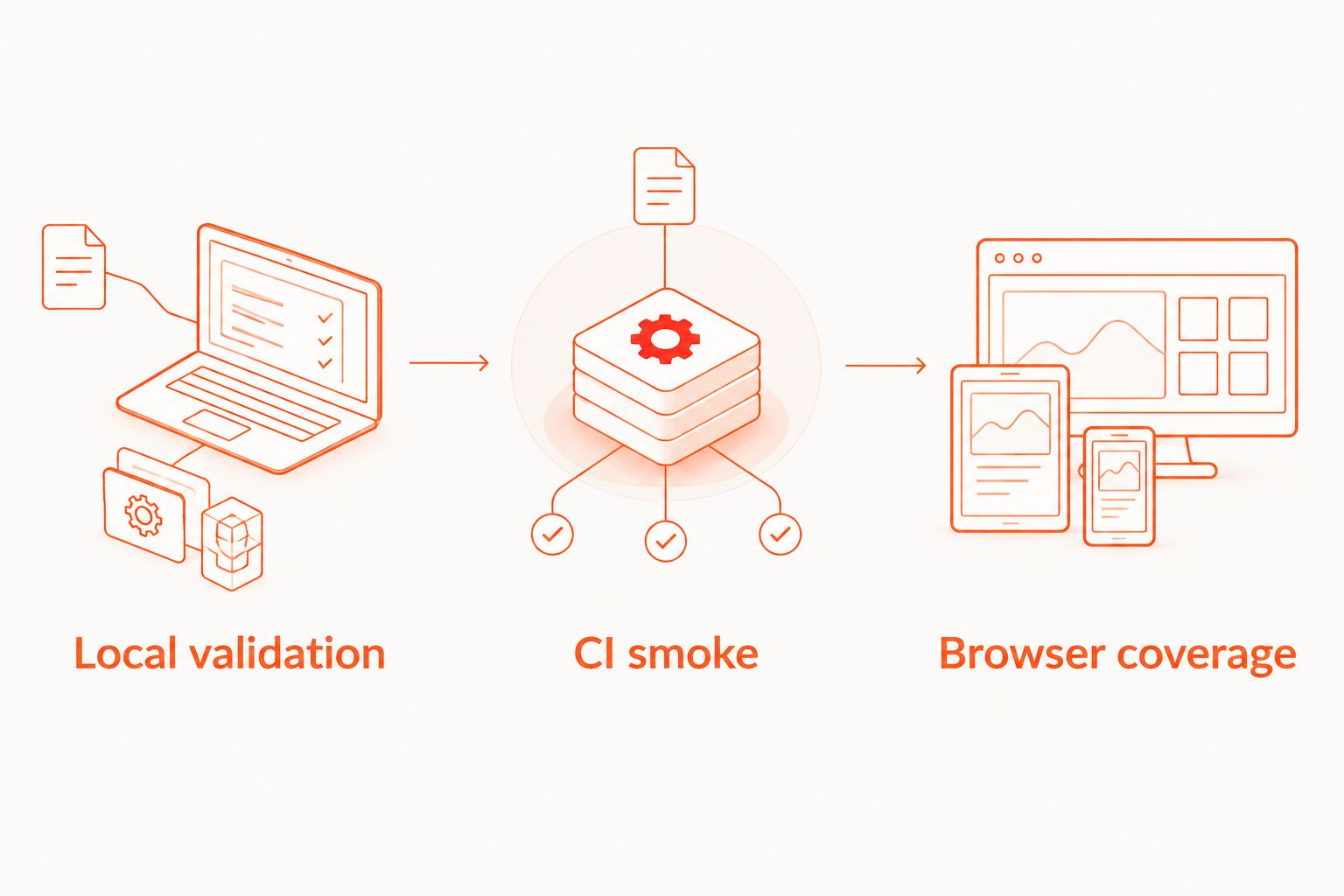
| Workflow option | Best for | Advantage | Limitation |
|---|---|---|---|
| Local validation | Developers authoring and debugging flows | Keeps iteration close to the application and inspector | A local pass does not establish coverage of untested browsers |
| CI smoke | Teams checking changes before merge | Makes the same critical journeys part of the change workflow | Depends on deployment readiness, credentials, and failure propagation |
| Browser coverage | Teams checking an explicit compatibility matrix | Makes tested browser targets visible | Adds execution and maintenance work for each supported target |
Start with local validation, then establish CI smoke before expanding browser coverage. This order gives you a reproducible test before adding execution environments.
Configure local validation
Local validation
- Open your project in the desktop runner and select the intended test environment using the configuration supported by its current documentation.
- Create the Maestro YAML flow for the first critical journey. Use the documented web syntax for your installed framework version; do not adapt mobile-only commands by assumption.
- Use the inspector to identify the target elements. Prefer stable identifiers or meaningful accessible attributes supported by the execution tool over selectors tied to layout position.
- Add assertions for the journey's outcome, not just interactions that reach the screen.
- Execute the flow, reset its starting state, and execute it again. Require 2 consecutive runs from the intended starting state before moving the flow into CI.
- Commit the flow and its non-secret configuration. Keep credentials out of YAML files and repository history.
Expected result: the committed flow passes after an explicit reset without relying on a previous interactive session.
The Maestro Deck inspector supports the local authoring and debugging workflow. It does not remove the need to choose reliable selectors, establish test data, or confirm the browser target used for execution.
For a 2026 setup, record the installed framework and runner versions with your workflow configuration. Update them deliberately. When behavior changes, a recorded version helps separate an application regression from an execution-environment change.
Keep the YAML narrow. One flow should express a readable journey; shared setup belongs in a documented reusable structure rather than duplicated credentials or hidden manual preparation. Check current official command documentation before committing any copied YAML example.
Configure CI execution and the merge gate
CI smoke
- Create 1 dedicated CI job for the smoke suite. Give its check a stable name so repository rules can refer to it consistently.
- Check out the same commit used to build the application under test. Make the deployment address an explicit input rather than a developer-specific default.
- Add an application-readiness check before test execution. Confirm that the deployment serves the intended application; an allocated address alone is insufficient.
- Configure test credentials through the CI provider's secret mechanism. For GitHub Actions repository secrets, open Settings, select Secrets and variables, choose Actions, and select New repository secret. Reference those secrets through the documented workflow mechanism rather than embedding their values.
- Install or select the documented execution environment. Use the official invocation for the chosen runner or hosted service, including its required authentication and supported web target.
- Execute the committed smoke suite. Preserve a failing process exit status; do not configure the test step to continue successfully after a failure.
- Retain the failure output and whichever diagnostic artifacts the execution service documents. Check that an engineer can identify the failing flow and assertion from the CI result.
- Deliberately break an assertion on a test branch. Verify that the job fails, then configure the repository's required-check rule for the intended branches.
Expected result: a known failing assertion produces a failed CI check and prevents merge wherever that check is required.
A completed job is not necessarily a successful test. Shell wrappers, exception handlers, and permissive CI settings can hide the failure status. Test the negative path before trusting the merge gate.
For 2026 pull-request checks, keep the boundary explicit: the job validates the deployed commit, its configured test data, and its declared execution target. It does not certify environments absent from that run.
Browser coverage
- List the browsers your application commits to supporting. Use your product requirements and observed usage rather than an assumed universal list.
- Match each required target to documented support in the execution service. Record engine, version policy, and operating system where those distinctions matter.
- Choose the narrow target set that must pass before merge. Schedule the broader supported matrix separately when running it on every change is unnecessary for your release policy.
- Keep the same critical assertions across targets. Separate a browser-specific expectation only when the application intentionally behaves differently.
- Record unsupported targets as coverage gaps. Do not silently replace a required browser with another engine and label the result equivalent.
Expected result: each compatibility claim maps to an actual configured target and a visible test result.
Use the browser coverage matrix guide to make those boundaries explicit. Cross browser testing tools should be evaluated against required targets, not the size of a generic feature list.
The workflow has three distinct stages. Local validation establishes a reproducible flow, CI smoke makes it a change check, and browser coverage expands the environments exercised.
Run broader checks when the application is updated
A pull-request smoke check and a scheduled compatibility run solve adjacent problems. The first checks a proposed change; the second exercises a wider declared matrix against a known deployment.
Configure a separate workflow for scheduled execution or an explicit deployment-complete event. Pass the deployment address and revision into the run, reuse the committed smoke flows, and publish results by target. Do not let an unverified deployment event stand in for an application-readiness check.
For your 2026 maintenance plan, assign ownership for failures outside the merge gate. A scheduled failure needs a route to the team responsible for the application or test infrastructure; otherwise broader coverage produces a report without a response.
Maestro Deck keeps local flow authoring separate from the decision to adopt paid cloud execution. Choose hosted execution when its documented targets and CI workflow meet your requirements. Check current execution limits and supported environments before changing the release policy.
Troubleshooting
The flow passes locally but fails in CI
Compare application revision, environment address, authentication state, viewport configuration, and test data. Start with the first differing assumption instead of adding waits throughout the flow. Reproduce the CI starting state locally.
The flow starts before the application is ready
Gate test execution on an application-readiness check. Confirm that the deployed revision is usable, not merely that a server accepted a connection. Keep deployment failures distinguishable from failed UI assertions.
The flow reaches the right screen but misses an element
Inspect the element in the failing state. Check whether the selector depends on position, translated text, or dynamically generated content. Use a stable supported selector and assert readiness before interacting; a fixed delay does not establish that the expected element exists.
Later runs fail after an earlier pass
Check for reused accounts, created records, and persisted session state. Reset the declared starting state or allocate isolated data for each run. Cleanup should not delete records another concurrent test needs.
A failed assertion still produces a green check
Inspect shell handling, test-step settings, and any wrapper around the execution command. Ensure the test failure reaches the job result. Repeat the deliberate failing-assertion check before restoring the required merge gate.
Customize your workflow
Expand the suite by release risk, not by screen count. Add a journey when a broken behavior would justify stopping the release, and document the outcome that makes its failure actionable.
Keep three responsibilities separate: flows describe behavior, CI coordinates execution, and the coverage matrix declares tested environments. This separation makes it easier to move execution without rewriting the intent of every test.
For a 2026 rollout, review the matrix whenever your application changes its browser-support policy. Add supported targets deliberately and remove obsolete expectations explicitly. A longer configuration file is not evidence of better coverage.
FAQ
What are the best cross browser testing tools for a web smoke suite?
The best fit is a tool that supports your required browser targets and returns actionable failures to CI. Start with the critical journeys and browser matrix, then check current official documentation for the execution service.
Can I use Maestro Deck without paid cloud execution?
Yes. Maestro Deck provides a free local desktop runner and inspector for Maestro YAML flows. Paid cloud execution is optional rather than a requirement for local use.
Does a passing web test prove cross-browser compatibility?
No. A passing web test establishes a result only for the environment that executed it. Cross-browser claims require results from the browser targets you declare as supported.
Should web smoke tests run on every pull request?
Run the release-critical smoke suite on pull requests when its result is part of your merge policy. Keep broader compatibility execution separate when your release requirements do not demand the entire matrix for every change.
How do I make a failing smoke test block a merge?
Preserve the test process failure status and make the resulting CI check required for the intended branch. Confirm the setup with a deliberately failing assertion before relying on it.
Why do web smoke tests pass locally but fail in CI?
Local and CI runs can differ in deployment, authentication, data, selectors, and execution environment. Compare those inputs and reproduce the CI starting state before changing assertions.
Is source-available software the same as open source?
No. Source-available means the source can be inspected under its published license; it does not establish open-source licensing rights. Read the license before assuming modification, redistribution, or hosting permissions.
One last thing
Break the test before you trust the gate. A deliberately false assertion checks the entire failure path: execution, process status, CI result, and merge policy. A passing flow cannot prove that those failure-handling pieces work.


