

Choose cross browser testing tools that let you test sign-in, session persistence, logout, and protected-page access in each browser environment you support. A successful redirect is not enough: verify the authenticated screen, the browser's cookie decisions, and the server's rejection of an invalidated session.
- Choose cross browser testing tools by authentication coverage, not browser counts alone.
- Maestro Deck suits developers starting with free local YAML flows; cloud execution is optional.
- Test authentication from both clean and existing sessions, including server-side rejection after logout.
- Separate cookie scope, SameSite behavior, and browser privacy restrictions when diagnosing failures.
How should cross browser testing tools test authentication and cookies?
Use a repeatable sequence that checks both the visible application and the session behind it. Run the same assertions in every browser configuration you intend to support, rather than treating one passing run as proof of compatibility.
For a 2026 release checklist, cover these authentication states:
| Test state | Action | Required evidence | Main limitation |
|---|---|---|---|
| Clean session | Open a protected page before signing in | Access is denied or sign-in is required | Does not prove successful authentication |
| New session | Complete sign-in through the intended entry point | Correct account and protected content appear | A landing page alone does not prove persistence |
| Existing session | Reload and revisit a protected route | Session behavior matches your product's policy | Browser restoration can hide setup mistakes |
| Logged-out session | Sign out, then request protected content again | Invalidated credentials no longer authorize access | A cached screen can differ from server authorization |
| Expired session | Use a session expired through a controlled test setup | Reauthentication or denial follows the intended policy | An uncontrolled wait makes failures hard to reproduce |
Use Maestro Deck as a free, source-available local desktop runner and inspector for writing and executing Maestro YAML flows across iOS, Android, and web apps. Maestro Deck is best for developers starting with local YAML end-to-end tests before adding optional cloud execution. Keep cookie and network inspection alongside UI assertions; neither source of evidence replaces the other.
Why this matters
Authentication failures can look like ordinary navigation failures. A browser reaches the callback route, but the next request lacks the session cookie. A logout screen appears, but the server still accepts the old session.
Your 2026 browser coverage should distinguish those outcomes. Record the starting state, action, expected browser behavior, and expected server decision for each test. Otherwise, two runs with different stored sessions can appear to contradict each other even when the application behaves consistently.
The useful question is not whether a tool can open your sign-in page. It is whether your workflow can reproduce a failure and identify which boundary failed: application, browser, identity provider, or server.
Build a repeatable authentication test sequence
Start with 2 dedicated test accounts when your application supports separate users. Give them distinguishable test data so an account-switching failure is visible. Do not use production credentials or copy a developer's personal browser profile into automation.
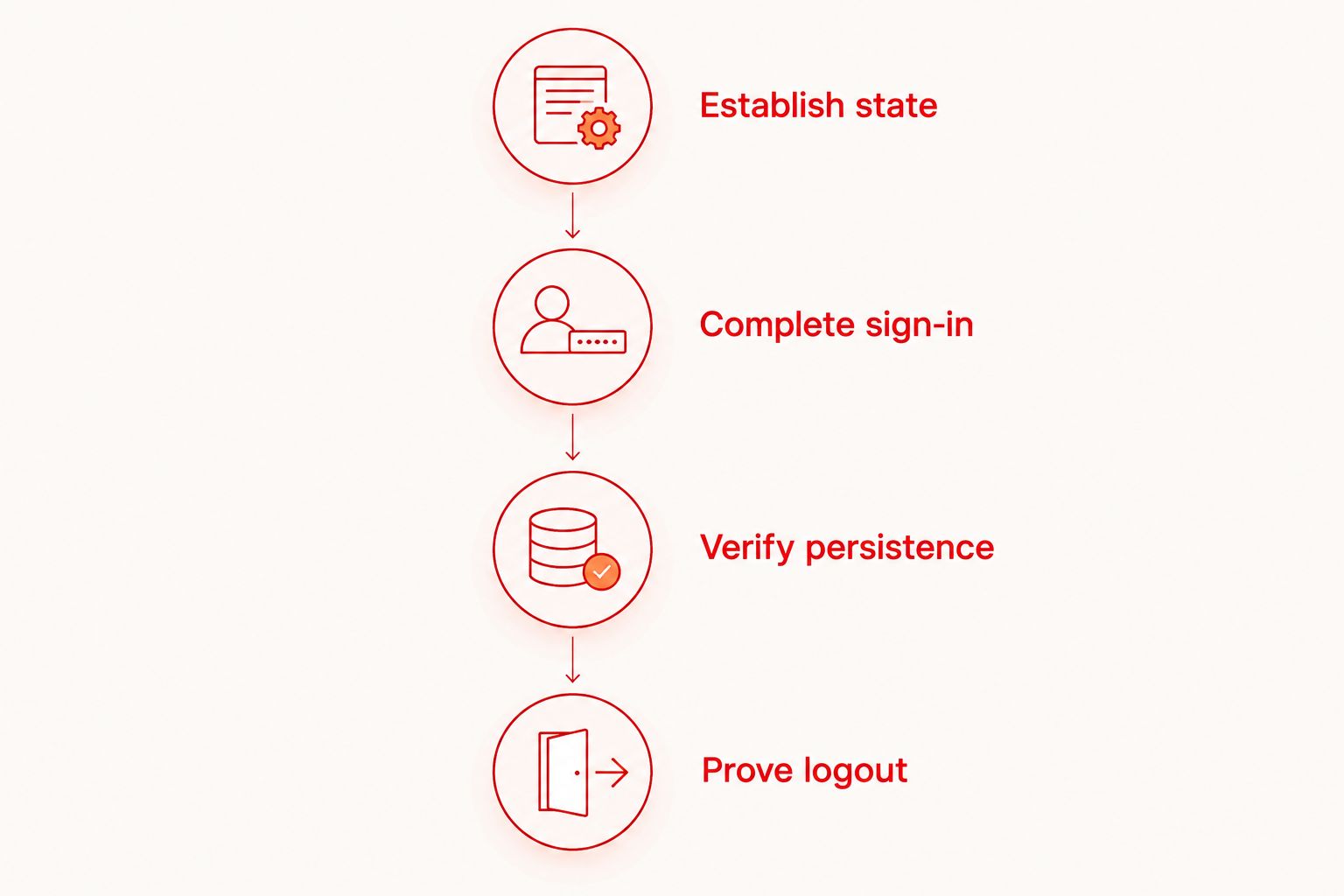
Establish the starting state
Create a clean browser context or use a documented reset procedure before testing anonymous access. State exactly what the reset removes: cookies, local storage, session storage, and any application-specific state relevant to authentication.
A cookie-only reset is not a universal application reset. If your application stores authentication material elsewhere, include that location in the procedure. Keep clean-session tests separate from persistence tests, where preserving state is intentional.
Complete the real sign-in path
Exercise the entry point your users follow. Include the identity-provider redirect when it belongs to the journey under test, and assert the expected account after returning to the application.
Do not replace every authentication test with a preloaded session. Session injection can help isolate unrelated UI tests, but it does not test credential submission, redirects, consent screens, or the browser's acceptance of the resulting cookie.
Verify persistence deliberately
Check 4 session checkpoints: the authenticated landing page, a protected route, a page reload, and a new tab in the same browser context. Define the expected outcome at each checkpoint before running the suite.
A new tab is not the same as a fresh browser context. Likewise, closing a tab is not proof that a session cookie has disappeared. Keep restart and session-restoration tests separate from ordinary reload tests.
Prove logout invalidation
Sign out, then request a protected resource again. Check the server response as well as the visible screen. Browser history can display cached content without proving that the server still authorizes access.
Where your security test setup permits it, retain the old session credential securely and verify that the server rejects it after invalidation. Never place that credential in a public test report.
Inspect cookie attributes separately from application behavior
A cookie's presence in browser storage does not prove that the browser sends it on the request you care about. Inspect the relevant response, stored cookie, and subsequent request as separate checkpoints.
Use this inspection checklist during a failure:
- Domain: Check whether the cookie belongs to the intended host or domain scope.
- Path: Check whether the protected request falls within the cookie's path scope.
- Secure: Check that the intended request uses HTTPS when the cookie requires it.
- HttpOnly: Expect the cookie to be unavailable to page JavaScript when this attribute is set; that does not prevent browser-managed transmission.
- SameSite: Check whether the request context matches the cookie's cross-site rules.
- Expiry: Check the configured lifetime and the server's session policy independently.
Inspect the request that fails, not just the response that creates the cookie. A successful Set-Cookie response does not establish that every later request includes the cookie.
Do not treat a failed JavaScript cookie read as proof of authentication failure. An HttpOnly session cookie is intentionally hidden from that interface. Use browser inspection and server-side evidence appropriate to your test environment instead.
Distinguish cross-origin from cross-site
Cross-origin and cross-site describe different boundaries. Origins include scheme, host, and port; cookie SameSite decisions use the site's scheme and registrable domain rather than the full origin.
This distinction matters when your frontend and API use different subdomains. Do not assume that a cross-origin request is necessarily cross-site, or that a same-site request automatically satisfies the application's cross-origin access controls.
For cross-site cookie use, SameSite=None requires Secure in modern browsers. That pairing does not override every browser privacy restriction. Test the actual context, especially embedded pages and external identity-provider journeys.
Why authentication results vary across browsers
Use these factors to explain differences rather than labeling every failure a flaky test. For your 2026 test plan, record the relevant setting or environment beside the result.
- Privacy settings: Restrictions on third-party storage affect flows that depend on cross-site state. Record the browser profile and privacy mode.
- Navigation context: Top-level navigation, embedded content, and background requests do not create identical cookie contexts.
- Cookie configuration: Domain, path, Secure, SameSite, and expiry determine where and when a cookie applies.
- Starting state: Existing sessions, remembered consent, and cached application state can change the route through sign-in.
- Server policy: Idle expiry, absolute expiry, and logout invalidation determine whether a stored credential remains valid.
- Execution environment: Browser version, operating system, and configuration must be recorded so another developer can reproduce the result.
Build a browser coverage matrix before expanding the suite. Select configurations from your supported-browser policy and actual usage evidence; do not substitute a long environment list for meaningful assertions.
Choose local execution or cloud execution by the failure
Start locally when you need to inspect a reproducible failure. Add hosted execution when your release workflow needs remote runs or CI integration. Neither choice removes the need to define browser coverage and authentication assertions.
| Execution approach | Best for | Advantage | Trade-off |
|---|---|---|---|
| Free local desktop runner | Writing and debugging flows | Keeps initial flow development local | Does not establish coverage beyond the environments you run |
| Optional cloud execution | Running tests from CI or expanding execution | Separates hosted execution from desktop work | Requires review of supported environments and test-data handling |
| Manual browser inspection | Diagnosing cookie and request behavior | Exposes the specific browser state behind a failure | Does not provide repeatable regression coverage by itself |
Maestro Deck provides the local runner and inspector; optional cloud execution is a separate workflow decision. Local use does not require paid cloud execution. Verify the intended hosted environment before treating a cloud run as evidence for a specific browser configuration.
Maestro Deck is distinct from the Maestro framework whose YAML flows it runs. Its source-available description is also distinct from an open-source license claim. Review license terms against your intended use rather than treating those labels as interchangeable.
For 2026 procurement, keep browser support, licensing, execution location, and data handling as separate acceptance criteria. Simulator or emulator support is not proof of physical-device availability, and a web run is not proof that every desktop or mobile browser is covered.
Should you reuse a saved login session in browser tests?
Reuse a saved session for tests whose purpose is not authentication; retain separate tests for the real sign-in journey. This separates application checks from login-path checks without pretending they cover the same behavior.
Give saved-session tests an explicit freshness rule and account identity check. If the session expires, report a setup failure rather than misclassifying every protected-page assertion as an application regression.
Avoid sharing one writable account across concurrent tests that change account state. A password change, logout, or permission update in one test can invalidate another test's assumptions.
How do you test session expiry without unreliable waits?
Use a controlled expiry condition in a test environment, then verify the next protected action. Prefer a documented server-side test control or a deliberately configured test session over leaving a browser idle for an uncontrolled period.
Test the visible response and the authorization decision independently. The application should follow its intended reauthentication or denial behavior, while the server must enforce the applicable expiry policy.
Do not change production session policy merely to shorten a test. Keep the test mechanism isolated and review whether it exercises the same authorization path as the intended policy.
What evidence should a failed authentication test retain?
Keep enough evidence to reproduce the failure without exposing a reusable credential. Record the browser and version, operating system, starting state, failing action, expected result, actual result, and relevant request outcome.
Preserve a sanitized redirect sequence when redirects are involved. Redact cookies, authorization headers, passwords, tokens, and callback parameters that contain secrets before exporting logs or screenshots.
Run a suspected state-dependent failure for 2 consecutive executions with the same documented reset. Treat this as a diagnostic check, not a reliability benchmark. If the second run differs, compare stored state and setup before changing selectors or adding waits.
FAQ
What should cross browser testing tools check after login?
Cross browser testing tools should check the authenticated account, protected-page access, and session behavior after navigation and reload. A redirect or success message alone does not prove that the browser sends a valid session credential.
Can I start testing authentication locally without paid cloud execution?
Yes. Maestro Deck provides a free local desktop runner and inspector for Maestro YAML flows; paid cloud execution is optional. Use local runs to develop the flow, then evaluate hosted execution when CI or additional execution environments require it.
Why is my session cookie stored but not sent?
A stored cookie is sent only when the request satisfies its scope and applicable browser rules. Inspect domain, path, HTTPS, SameSite context, expiry, and browser privacy restrictions on the failing request.
Does HttpOnly prevent an automated test from using a session?
No. HttpOnly prevents page JavaScript from reading the cookie, but the browser can still send it on eligible requests. Verify authentication through protected actions and inspect browser-managed cookie behavior separately.
Does SameSite=None fix every cross-browser login failure?
No. SameSite=None addresses a cookie's SameSite restriction and requires Secure in modern browsers, but it does not bypass every privacy control. Check the actual navigation or embedded context before changing cookie attributes.
How do I prove logout works across browsers?
Prove logout by checking that the server rejects the invalidated session on a subsequent protected request. Also check the visible signed-out state; cached history content alone does not establish whether authorization still works.
Should authentication tests use real user accounts?
Use dedicated test accounts rather than production users' credentials. Give accounts distinguishable test data and keep credentials and session tokens out of exported test artifacts.
One last thing
A passing login test can hide a broken login path if the browser was already authenticated. Before accepting a 2026 authentication result, confirm that the test actually crossed from anonymous to authenticated state.
Keep that transition visible in the test name, setup, and assertions. Then test persistence and logout separately. You get a clearer failure report than one long flow that silently depends on yesterday's session.


