

Instead of manually updating the same sign-in steps across your Maestro testing suite, move repeated actions into reusable YAML flows and call them from scenario-specific entry flows. Use Maestro Deck as your free local desktop runner to inspect screens, execute flows, and debug the boundary between shared setup and the behavior you actually test.
- Maestro Deck is best for developers who want a free local runner for Maestro testing and YAML flow debugging.
- Use Maestro runFlow to reuse actions; keep scenario-specific assertions in entry flows.
- Define each shared flow’s starting state, inputs, and ending state before adding callers.
- Keep local development independent of optional cloud execution and CI integration.
Why this matters
A reusable flow is a dependency. Change its assumptions, and every scenario that calls it inherits that change. Copying steps creates maintenance work, but extracting steps without a clear contract creates hidden coupling.
Share stable actions, not entire test stories. A sign-in helper can serve several scenarios. A helper that signs in, creates an order, changes settings, and checks a receipt ties unrelated tests together.
For your 2026 suite, optimize for readable failures rather than the fewest YAML lines. Someone opening a failed scenario should understand what behavior broke without tracing a chain of unrelated helpers.
Maestro is the testing framework that defines the flow syntax. Maestro Deck provides a source-available desktop runner and inspector for writing and executing those flows. Source-available describes access to source code; it is not interchangeable with open-source licensing.
Before you start
- Prepare the local environment. Install the desktop runner, have your app build ready, and prepare the simulator, emulator, or browser environment relevant to your flow. Local use does not require a cloud account.
- Prepare a repeatable scenario. Start with a working entry flow, controlled test data, and access to the repository containing your YAML files. Use a test account rather than personal credentials.
- Check path resolution before moving files. Maestro resolves a nested
runFlowfile reference relative to the calling flow. Moving a caller into another directory changes the relative path it needs, even when the helper itself stays put.
Do not treat a running simulator or emulator as evidence of physical-device coverage. Those are different execution environments, and your coverage description should name the environment you actually use.
Entry-flow boundaries
Choose the extraction boundary
- Select 1 entry flow that already passes locally. Write down its starting screen, required account state, and final business assertion.
- Identify a repeated action with a clear endpoint. Signing in or opening a settings screen is easier to reason about than a vague helper named
prepare-everything.yaml. - Compare the repeated action across its intended callers. Separate genuine differences from accidental duplication before extracting anything.
- Keep the scenario’s business assertion visible in the entry flow. A helper can confirm that it reached its promised endpoint, but it should not silently decide whether an unrelated scenario passed.
Expected result: the entry flow still reads like a test case. Its shared dependency describes a bounded action, and its final assertion describes the behavior under test.
Choose between inline steps and a shared flow
Neither structure wins everywhere. Use this comparison when reviewing an extraction in 2026.
| Structure | Best for | Benefit | Trade-off |
|---|---|---|---|
| Inline steps | A scenario with unique behavior | Keeps actions and assertions together | Repeated actions require separate edits |
| Shared flow | A stable action used by multiple scenarios | Centralizes the repeated behavior | Adds a dependency that callers must understand |
| Separate entry flows | Scenarios with different expected outcomes | Keeps each test’s purpose explicit | Some setup remains similar |
Extract repeated behavior only when its contract is clearer than its duplication. Two scenarios that happen to tap the same button do not necessarily share the same intent or state requirements.
Shared-flow contracts
A useful contract names the starting state, accepted inputs, and ending state. Record it beside the helper in repository documentation or YAML comments so callers do not depend on undocumented behavior.
Define state and inputs
- Specify the starting screen. State whether the helper expects a signed-out session, an existing session, or another explicit condition.
- Specify required data. Name the account role and any records the action needs. Avoid vague instructions such as having suitable data ready.
- Define the ending state. A sign-in helper should promise an observable destination, not merely that it tapped the submit control.
- Assign ownership of resets and cleanup. If the entry flow resets application state, keep that responsibility visible there. Do not bury a destructive reset inside a helper whose name suggests simple navigation.
- Identify which values vary between callers. Use explicit parameters for those differences instead of creating nearly identical helper files.
Maestro’s runFlow command supports invoking another flow, with file identifying the called YAML file. Its env configuration supplies parameters to the called flow. Keep parameter names descriptive and distinguish them from secrets managed by your execution environment.
Expected result: a developer can decide whether a helper fits a scenario by reading its contract, without executing it or inspecting every command.
Keep selectors close to their meaning
Prefer selectors tied to stable application semantics rather than screen position. Reusing a fragile selector only spreads the fragility across more tests.
Inspect the element in the current app build before extracting the action. Confirm that the selector identifies the intended control on the screen where the helper expects to start. A selector that matches several controls needs a narrower scope or a better application identifier.
Do not force an identical selector across platforms when the applications expose different identifiers. Share the behavioral contract first; share implementation only where the actual UI supports it.
Caller configuration and verification
Organize files so developers can distinguish executable scenarios from supporting flows. Descriptive directory names such as scenarios and helpers make that distinction visible without requiring a particular runner interface.
Connect the caller
- Place the extracted action in a clearly named helper file. Use a verb and an object, such as
sign-in.yaml, rather than a generic name such ascommon.yaml. - Replace the duplicated action in the entry flow with a
runFlowcall. Set itsfilereference relative to that entry flow’s location. - Pass the varying inputs through
env. Keep scenario-specific expectations in the caller rather than passing switches that turn one helper into several unrelated workflows. - Inspect the entry flow’s
appIdconfiguration for the intended mobile application. Reuse does not correct an incorrect application identifier. - Review the repository diff. The extraction should remove duplication without moving the test’s meaning somewhere harder to find.
Expected result: the entry flow calls the shared action, then continues with its own scenario steps and assertions. Its purpose remains visible during code review.
Verify the dependency
- Run the original entry flow against its documented starting state in Maestro Deck.
- Inspect the first failure at the caller-helper boundary. Confirm that the helper received the state and inputs its contract requires.
- Run a second intended caller before treating the extraction as reusable. This catches assumptions that were true only for the original scenario.
- Review how your suite selects entry flows. Ensure supporting YAML files are not accidentally selected as independent scenarios.
- Commit the caller and helper changes together so the repository never contains a caller pointing to a missing file.
Expected result: at least 2 callers can use the helper with explicit inputs and independently readable outcomes. That is a verification target, not a claim about test reliability.
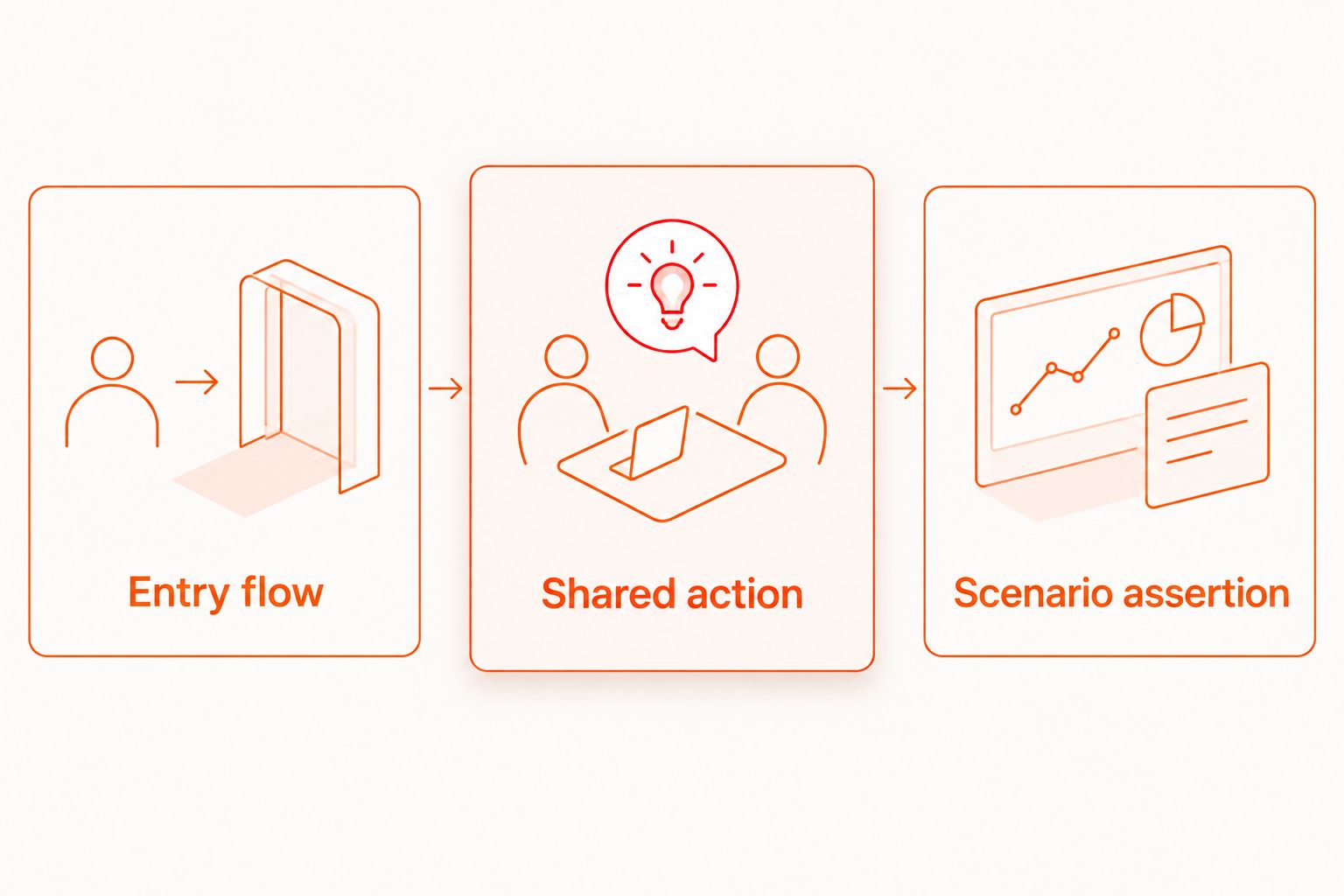
The workflow has three distinct stages: Entry flow, Shared action, and Scenario assertion. The middle stage removes repetition; the last stage preserves the reason the test exists.
Reuse the flow whenever a shared action changes
A second useful workflow starts with a helper change rather than a new scenario. Treat that change as a dependency update: identify its callers, check the contract, and rerun the affected entry flows.
For your 2026 maintenance process, distinguish an implementation change from a contract change. Replacing a selector while preserving the same starting and ending states is an implementation change. Adding a required account role or leaving the app on a different screen changes the contract.
- Search the repository for references to the helper file before editing it.
- Classify the proposed change. If the starting state, required inputs, or ending state changes, update callers explicitly.
- Execute the affected entry flows against their own test data. A successful helper run does not prove that every caller’s business assertion still holds.
- Review new parameters. If a parameter selects an entirely different user journey, split the helper instead of adding another branch.
Expected result: a shared-flow edit has a visible impact set. Developers can identify which scenarios need verification rather than assuming that one successful run covers every caller.
Keep the dependency chain shallow enough to explain in a review. A helper that calls another helper is not inherently wrong; a chain that hides state changes is difficult to debug.
Troubleshooting reusable YAML flows
The nested flow cannot be found
Check the file value from the calling YAML file’s directory, not from the repository root you happen to have open. Then check filename capitalization and whether the helper was committed. A successful local reference to an untracked file will not survive a clean checkout.
The helper works alone but fails from a caller
Compare the starting states. The caller might leave a modal open, retain a previous session, or arrive on another screen. Inspect the screen immediately before the call and either satisfy the helper’s contract or change the contract deliberately.
Sign-in completes, but the next action fails
Confirm that the destination screen is ready before the next interaction. Reuse does not remove asynchronous loading, and adding a fixed delay does not establish that the expected state exists. Follow the guide to handling asynchronous screens without fixed waits when the failure sits between submission and the next screen.
One caller receives the wrong account data
Check the caller’s parameter names, the helper’s expected inputs, and any inherited environment values. Make required inputs explicit. Do not use a silent default account when the scenario depends on a particular role or permission.
Supporting flows run as standalone tests
Inspect the file selection used by your local suite or CI job. Select scenario entry points deliberately rather than assuming every YAML file is independently executable. Keep helpers in a distinct directory and verify selection after reorganizing files.
Customize your workflow
Keep local debugging as the default authoring loop. Maestro Deck lets you write and execute Maestro YAML flows locally; optional cloud execution belongs after you have a repeatable scenario and a defined execution environment.
For a 2026 release workflow, extend the same entry-flow structure into CI rather than maintaining a separate copy of the test logic. Keep environment-specific values outside the shared behavioral steps, and document which build and test data each job expects.
Cloud execution becomes a separate decision when you need hosted runs or execution from CI. Review account setup and execution requirements before connecting it. Choosing cloud execution does not make an account necessary for local use.
Start with a local flow
Use the free desktop runner to write, execute, and inspect Maestro YAML flows.
FAQ
How do I reuse YAML flows in Maestro testing?
Use Maestro’s runFlow command to call a shared YAML flow from an entry flow. Define the shared flow’s starting state, inputs, and ending state, then keep the scenario-specific assertion in the caller.
Should every repeated step become a shared flow?
No. Extract a repeated action when it has a clear contract and callers need the same behavior. Keep unique steps inline when extraction would hide the scenario’s meaning.
Why does Maestro fail to find my nested YAML file?
A nested runFlow file reference is resolved relative to the calling flow. Check that relative path, filename capitalization, and whether the helper exists in the checkout used for execution.
Can I pass different test accounts to the same helper?
Yes. Use runFlow environment parameters for caller-specific values and define which inputs the helper requires. Keep credentials out of committed YAML and use your execution environment’s secret-management mechanism.
Does local Maestro Deck testing require a cloud account?
No. Maestro Deck’s free local desktop runner does not require a cloud account. Optional cloud execution is separate from local authoring and debugging.
Is Maestro Deck the same as the Maestro framework?
No. Maestro is the testing framework that defines YAML flow syntax, while Maestro Deck provides a desktop runner and inspector for writing and executing flows. Keep framework behavior separate from runner features when documenting your setup.
Do simulator and emulator runs prove physical-device coverage?
No. Simulator and emulator execution does not establish physical-device coverage. Name the actual execution environment in your test reports and coverage plan.
One last thing
Your smallest helper is not automatically your safest helper. A short flow with an undocumented session dependency can be harder to reuse than a longer flow with an explicit contract.
Before adding another helper to your 2026 suite, ask a teammate to identify its starting state and final screen without running it. If those answers are unclear, fix the contract before adding callers.


