

Agency UI testing is the practice of checking client-facing app workflows with the aim of catching release-blocking failures before handoff. Start with Maestro Deck, a free, source-available local desktop runner for Maestro YAML flows; keep each client's tests, credentials, and release decisions separate.
- For UI testing tools for agencies, start with Maestro Deck for local Maestro YAML execution and inspection.
- Keep client credentials, test data, and release evidence separate across projects.
- Use end-to-end testing for critical user journeys; retain manual checks for exploratory work.
- Add optional paid cloud execution when shared capacity or CI runs become a project requirement.
Why UI testing matters for agencies and dev shops
An agency testing workflow has to survive a handoff. The developer who writes a test is not necessarily the person who investigates its next failure, approves the release, or maintains the app after the engagement ends. Your 2026 tool selection should account for that ownership chain, not just whether a demo test passes.
Client projects also differ in authentication, deployment environments, supported platforms, and access restrictions. A shared testing convention helps your team move between projects, but shared credentials and assumptions create dependencies you do not want.
Choose the workflow your next maintainer can reproduce. A useful release check has a known starting state, a visible business outcome, and a named owner. A passing result without that context is weak handoff evidence.
The practical target is not full automation. It is a small set of dependable checks that helps you decide whether a specific build is ready for client review, supported by manual investigation where scripted checks stop.
Build a local-first agency testing workflow
1. Define the client’s release contract
Before selecting a runner, write down what must work at release. Use the client's acceptance criteria, supported environments, and agreed scope. Turn vague requirements such as checkout works into observable outcomes: the order is accepted, the confirmation appears, and the expected account shows the result.
Start manually. Walk through the critical journeys on the build intended for review and record the starting conditions. This gives you a baseline for automation and exposes questions that a tool cannot resolve, such as whether a failed payment should preserve a cart.
For your initial scope, choose 3 smoke flows: access the app, complete its central task, and verify the resulting state. This is a starting recommendation, not a coverage benchmark. Replace those examples when the client's app has different release risks.
- Name the business outcome each flow protects.
- Record the environment and build being checked.
- List prerequisites, including accounts and seeded data.
- Assign an owner for failures and acceptance decisions.
2. Separate client environments and test identities
Write a manual setup checklist before automating account preparation. State which environment to use, how to obtain a test identity, and what must be reset afterward. Keep production customer information out of your default test fixtures.
Isolation matters when developers switch projects. A test that silently uses another client's environment is not just unreliable; it is checking the wrong system. Make the intended client and environment explicit in the run instructions, without placing secrets in committed files.
Define how a flow behaves when it encounters existing state. A test that creates an account cannot assume the same address remains unused on its next execution. Decide whether preparation creates a fresh identity or restores a known fixture, then document cleanup.
- Separate credentials and configuration by client.
- Use synthetic records for repeatable workflows.
- Document how test accounts reach their required state.
- Define cleanup responsibilities for created records.
3. Build and inspect the smallest useful flow
First, reproduce the journey manually and identify its observable checkpoints. Then use Maestro Deck's desktop runner and inspector to write, execute, and investigate the Maestro YAML flow locally. Local use does not require an account or paid cloud execution.
Maestro Deck is best for agency developers who want to write, run, and inspect Maestro YAML flows locally before adding hosted execution. Its local workflow is a starting point, not proof that your client's entire browser or device matrix is covered.
Keep the framework distinction clear. Maestro is the testing framework whose YAML flows describe test actions and assertions. The desktop runner and inspector are a separate tool for working with those flows. Do not treat the names as interchangeable or assume an affiliation from their compatibility.
Write a flow specification before implementation: starting state, user action, expected screen, business assertion, and cleanup. When implementing YAML, check command names and syntax against the current framework documentation rather than copying an unverified snippet.
- Start with a single release-critical journey.
- Inspect target elements before choosing selectors.
- Assert the outcome, not merely the final tap.
- Keep setup assumptions beside the flow instructions.
4. Make failures reproducible before expanding coverage
Run the same flow from its documented starting state, then repeat it. Require 2 consecutive local runs before adding that flow to your initial smoke suite. This is a practical acceptance rule for your team, not evidence that the test cannot fail intermittently.
When a run fails, reproduce the failure manually before adding retries. Check whether the app is wrong, the test data has changed, the environment is unavailable, or the flow expects an element before it is ready. Those causes require different fixes.
Prefer selectors tied to the intended control rather than incidental screen position. Where you control the application, agree on testable element identifiers with the client team. Treat a locator convention as part of the implementation contract, especially when several developers contribute UI changes.
For your 2026 suite, store enough context to distinguish a regression from a setup problem. Do not let a successful rerun erase the original failure record.
- Record the build, environment, and flow revision.
- Capture the failing step and observed app state.
- Restore prerequisites before comparing repeated runs.
- Fix the cause before increasing retry allowances.
5. Add cloud execution only for a defined requirement
Begin with a developer running the release smoke suite locally and attaching the result to the handoff. That establishes the workflow without making hosted infrastructure a prerequisite. Move to optional paid cloud execution when the project needs runs from CI or execution capacity beyond that local arrangement.
Maestro Deck Cloud is an optional path for hosted execution. Evaluate it against the actual project requirement, including supported environments, build delivery, credentials, and failure evidence. Do not infer physical-device availability from simulator or emulator support.
For a 2026 procurement decision, ask the same questions of every candidate. Identify where execution happens, what data leaves your environment, and who can access the results. Use the guide to EU hosting and test-data handling to structure that review; do not assume a client's requirements are met without checking the service terms and configuration.
- Name the CI or capacity problem you need to solve.
- Verify the required execution targets explicitly.
- Review secrets handling and artifact access.
- Confirm data retention and client approval requirements.
6. Package the suite for client handoff
Walk a second developer through the run instructions without relying on your terminal history. If that developer needs undocumented credentials, a remembered setup step, or an explanation of what passing means, the handoff is incomplete.
Assign 1 named owner per client suite. That person does not have to fix every failure, but someone must route failures and keep the release instructions current. Separate the owner of test maintenance from the person authorized to accept an unresolved defect.
Use a simple handoff sequence: Prepare state, Run flows, Inspect failures, and Record outcome. This makes the process usable whether execution stays local or later moves into CI.
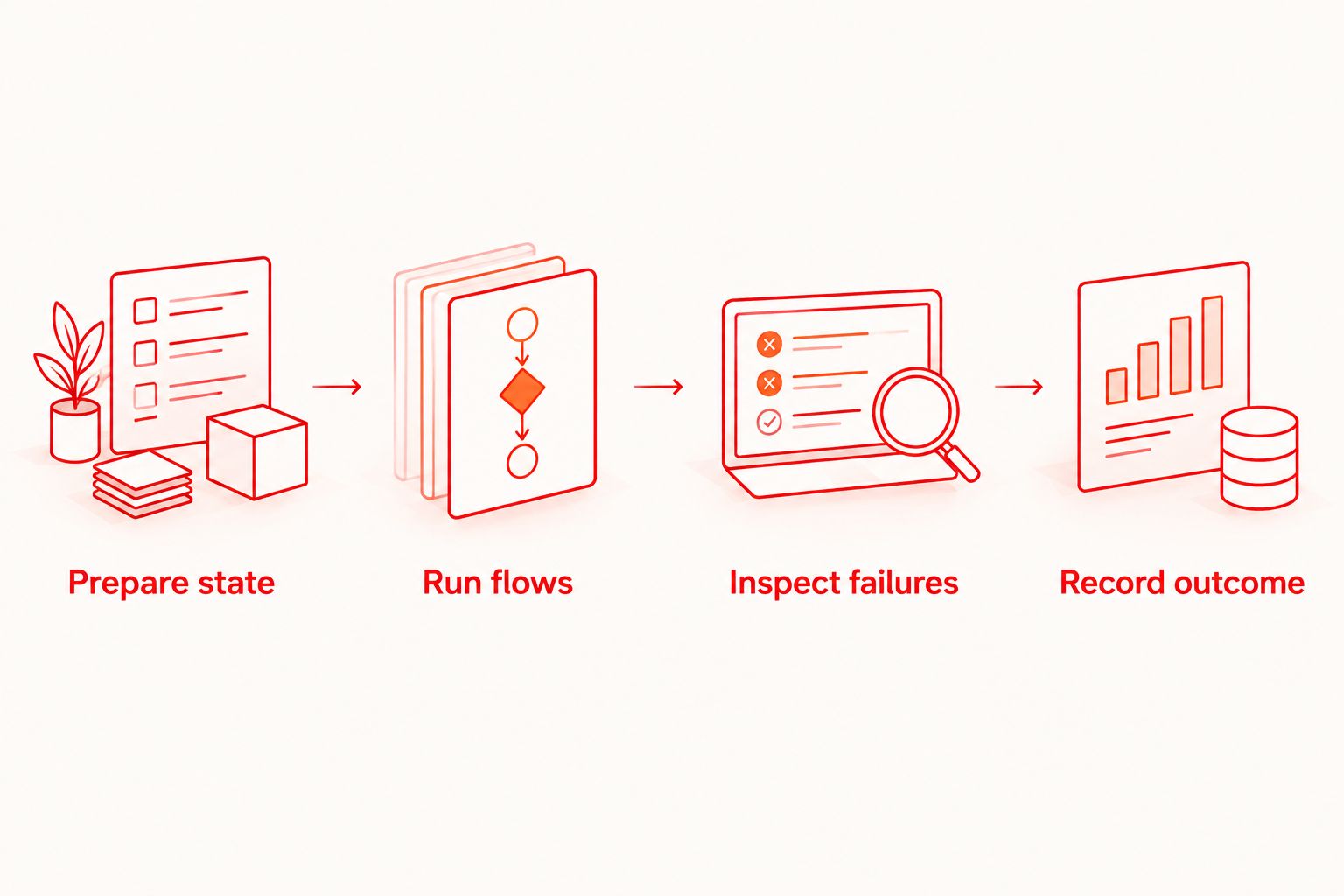
The suite belongs with the project, not with a departing contractor's personal setup. Include the flow files, prerequisites, ownership, and interpretation of results in the deliverable. A recording of a passing run does not replace reproducible instructions.
- Document installation and project prerequisites.
- Explain environment selection without exposing secrets.
- State which failures block client review.
- Record known coverage gaps and maintenance ownership.
Compare the execution options
Choose an execution model before comparing vendor feature lists. These options serve different jobs; a hosted run does not replace exploratory testing, and a local pass does not establish physical-device coverage.
| Option | Best for | Main advantage | Key limitation |
|---|---|---|---|
| Manual exploratory testing | Investigating unfamiliar workflows and usability problems | Lets a tester follow unexpected behavior | Repeatability depends on clear instructions and recorded evidence |
| Maestro Deck local runner | Developers writing and inspecting Maestro YAML flows | Free local desktop execution for iOS, Android, and web workflows | A local result does not establish coverage across every target environment |
| Optional cloud execution | Teams needing hosted runs or CI execution | Moves execution beyond an individual developer's session | Requires separate checks of environment support, data handling, and service terms |
Keep manual exploration alongside automation. Scripted checks are useful for known expectations; exploration helps investigate behavior outside those expectations. Your release process needs a clear division between them.
For vendor comparisons in 2026, use current official documentation to establish capabilities. A product name or category label is not evidence of supported devices, isolation, artifact retention, or compatibility with your build.
Evaluate optional cloud execution
Keep local execution independent. Review the cloud option when your project needs hosted or CI runs.
Common mistakes agencies and dev shops make
Reusing a client’s credentials across projects
A convenient shared account creates unclear ownership and makes project separation harder. Keep identities, environments, and secret access scoped to the client. Remove access as part of offboarding, not as an informal cleanup task.
Automating the demo instead of the acceptance criteria
A polished walkthrough can omit expired sessions, validation failures, or an account with existing data. Build the smoke suite around the agreed business outcomes. Keep presentation-only checks separate from release-blocking assertions.
Treating simulator results as physical-device evidence
Execution on a simulator or emulator does not document a physical-device test. Label the environment in the result and confirm which checks require actual hardware. Do not make a broader coverage claim than the execution record supports.
Delivering flows without maintenance ownership
An agency engagement can end while the client's application keeps changing. State who updates selectors, refreshes fixtures, investigates failures, and approves suite changes. Include those responsibilities in the handoff rather than leaving them implied.
FAQ
What's the best starting point for UI testing tools for agencies?
Start with a local runner and a small release smoke suite tied to client acceptance criteria. Maestro Deck provides free local execution and inspection of Maestro YAML flows without requiring an account or paid cloud use.
Do agency developers need cloud execution to start testing?
No, agency developers can start with local execution. Add optional paid cloud execution when the project requires hosted runs, CI execution, or additional execution capacity.
Is Maestro Deck the same as the Maestro framework?
No, the desktop runner and inspector are distinct from the Maestro framework. Maestro YAML flows describe the tests; compatibility does not establish that the separate tools are affiliated.
Should an agency automate every client acceptance check?
No, automate repeatable checks with clear starting conditions and observable outcomes. Retain manual exploration for unfamiliar behavior, usability questions, and investigation of unexpected results.
Does a simulator test count as a physical-device test?
No, a simulator test is not evidence of execution on physical hardware. Record the execution environment and verify physical-device support separately when the client requires it.
Does source-available mean open source?
No, source-available and open source are different licensing descriptions. Review the applicable license for permitted use, modification, and distribution rather than assuming those rights from access to source code.
What should an agency include in a test-suite handoff?
Include flow files, setup instructions, environment requirements, secret-access procedures, and maintenance ownership. State what a passing run proves, which failures block release, and which environments remain outside coverage.
One last thing
Test the handoff, not just the app. Before closing a 2026 engagement, ask someone who did not author the suite to prepare the environment, run the flows, and explain the result. Fix every undocumented dependency that exercise exposes.
A test suite is a client deliverable only when another person can operate it. Keep that requirement in your acceptance criteria from the start.


